
Elegant
Offscreen items, virtualisation and cost
Keep delegate counts, repaint passes and idle wakeups low using ListView and GridView virtualisation, item reuse and visibility- bound timers and animations.
Use ListView, GridView and TableView to virtualise large models so only delegates near the viewport exist, enable reuseItems to pool delegates as the user scrolls, and bind running on timers and endless animations so an idle window wakes zero times per second.
View virtualisation, cacheBuffer and reuseItems
ListView and GridView inherit cacheBuffer, displayMarginBeginning, displayMarginEnd and reuseItems from ItemView; TableView has reuseItems but not the other three. Unlike Repeater—which creates every item in its model at once—views create delegates only for rows or cells near the viewport:
With cacheBuffer: 0, a 200 by 300 ListView of 30-pixel rows backed by a 10,000-item model keeps at most 14 delegates alive.
A 100,000-row ListView (contentHeight: 3000000) keeps 10 to 24 delegates alive, and scrolling step by step keeps the count at most 36. A GridView of 30,000 cells similarly keeps only the delegates near the viewport.
When rows differ in height, the view estimates contentHeight as row count times the average measured height and refines the estimate as more rows are measured. Jumping to a distant row creates only the delegates around that target row, and once the preceding rows have been measured, jumping to the end reaches it in a single move.
When a model loads rows a page at a time, scrolling to the end requests the next page (a ListView sized to show every row will keep requesting pages until the model has no more).
Delegates created for cacheBuffer exist in memory, but while they lie wholly outside the viewport and displayMarginBeginning / displayMarginEnd, they are not painted. A row inside the display margin is drawn up to the margin's edge, and a cached row scrolled into view is painted again.
By default reuseItems is false. Setting reuseItems: true recycles delegates through an internal pool so scrolling creates no new delegate instances:
A pooled delegate is not painted and takes no pointer events, even though its visible property still reads true.
When taken back from the pool for a new row, the delegate's required property int index updates and the delegate is painted again.
Turning reuseItems back to false destroys the pooled delegates.
Main.qml
QML
Copy
pragma Scripts: JavaScript
import Ljos.Ui

ListView {
    width: 200; height: 300
    model: 100000
    cacheBuffer: 320
    reuseItems: true

    delegate: Rectangle {
        required property int index
        width: ListView.view.width
        height: 30
        fill: index % 2 ? palette.alternateBase : palette.base

        Text {
            color: palette.windowText
            anchors.centerIn: parent
            text: "Row " + index
        }
    }
}
Edit
Source
What this example draws
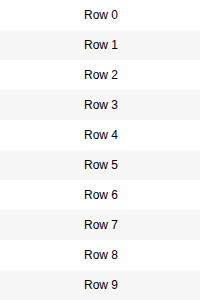
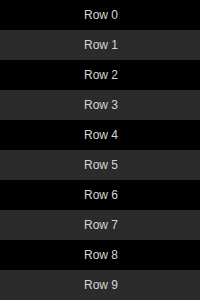
This 100,000-row list creates delegates only for the 300-pixel viewport plus 320 pixels of cacheBuffer on either side, and reuses them from the pool as you scroll.
Idle wakes, hidden items and frozen StackView pages
A window with no active Timer, running animation or input stays completely asleep: after 1,000 milliseconds of rest, it wakes 0 times over the next 2,000 milliseconds. Script garbage collection runs once the window has rested after a burst of work, and a window with nothing to collect is never woken to check.
However, setting visible: false on an item only stops it from being painted: a hidden item keeps its bindings re-evaluating, its Behavior animations running and its Timers firing. To avoid waking the process while a page or indicator is hidden, bind running on every repeating Timer and every Animation.Infinite animation to the item's visibility or activity state.
Main.qml
QML
Copy
import Ljos.Ui
import Ljos.Core

Rectangle {
    id: page
    width: 200; height: 100
    fill: palette.base
    property int ticks: 0

    Timer {
        interval: 1000
        repeat: true
        running: page.visible
        onTriggered: page.ticks++
    }

    Text {
        color: palette.windowText
        anchors.centerIn: parent
        text: "Ticks: " + page.ticks
    }
}
Edit
Source
What this example draws
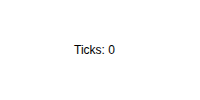
When page.visible becomes false, running becomes false and the timer stops firing.
Main.qml
QML
Copy
import Ljos.Ui

Rectangle {
    id: spinner
    width: 20; height: 20; radius: 10
    fill: palette.accent
    property bool busy: false

    NumberAnimation on opacity {
        running: spinner.busy
        from: 0.2; to: 1
        duration: 600
        loops: Animation.Infinite
    }
}
Edit
Source
What this example draws
Tying running: spinner.busy ensures that when busy is false, the window has no animation deadline to wake for.
When you push a new page onto a StackView, the covered pages are frozen automatically: their timers do not fire while covered, and any timer that came due while covered fires once when the page is uncovered again.
Passes, bindings and design targets
Interactive work and rendering are structured to minimise redundant passes:
Clicks and frames: a pointer click runs in two passes (one for press, one for release). A click that changes nothing on screen runs at most 2 passes and wakes no thread other than the window's own thread. When an animation is running, the wake for its deadline draws the exact frame due at that timestamp.
Bindings: each binding is evaluated once at creation and re-evaluates only when one of its dependencies changes. A dependency cycle that settles to the same value stops rather than looping.
CPU drawing: when a window is drawn on the processor into shared memory, only the region that changed is repainted on subsequent frames. Custom ShaderEffect programs are skipped in CPU drawing (logging once).
Per-instance budgets: crates/ljos_quick/tests/budget.rs pins the number of graph nodes, engine objects, name lookups and heap allocations per thread so regressions fail in tests.
The architecture also defines the following design targets (these are design targets rather than measurements taken for this page):
Wakeups: the frame scheduler computes a single next wake from animation deadlines, timers, requested repaints and messages so an idle application targets 0 wakes per second. Text cursor blink targets at most 2 wakes per second and 0 while the window is unfocused.
Visibility states and eviction: from most to least active, the design states are Active, VisibleUnfocused, Hidden, Suspended and Frozen, with textures belonging to frozen pages evicted first under memory pressure.
Memory and dispatch targets: a decoded image cache target of at most 64 MiB on a phone and 256 MiB on a desktop, a GPU cache target of 24 MB on a phone and 64 MB on a desktop, a process RSS target of at most 150 MiB, and a 4 ms JavaScript dispatch target.
Limits and edge cases
StackView freezes the pages it covers so their timers do not fire until uncovered (with change signals of a frozen subtree coalesced to one per property on thaw as a documented divergence).
General frozen subtrees outside StackView (static analysis for freezing, Loader and delegate freezing, and dehydration after 30 seconds) are not built.
Timer.suspendWhen, Window.frameRatePolicy, Ljos.Lifecycle, Ljos.ListView.incubationBudgetMs (and its ~3 ms per-frame incubation design target) and Ljos.Persist are design names and are not built; bind Timer.running to visibility instead.
reuseItems defaults to false, and Repeater creates all of its items without virtualisation.
CPU-drawn windows skip custom ShaderEffect programs and log a single message.
See also
Offscreen items, virtualisation and cost
Keep delegate counts, repaint passes and idle wakeups low using ListView and GridView virtualisation, item reuse and visibility-bound timers and animations.
Use ListView, GridView and TableView to virtualise large models so only delegates near the viewport exist, enable reuseItems to pool delegates as the user scrolls, and bind running on timers and endless animations so an idle window wakes zero times per second.
View virtualisation, cacheBuffer and reuseItems
ListView and GridView inherit cacheBuffer, displayMarginBeginning, displayMarginEnd and reuseItems from ItemView; TableView has reuseItems but not the other three. Unlike Repeater—which creates every item in its model at once—views create delegates only for rows or cells near the viewport:
With cacheBuffer: 0, a 200 by 300 ListView of 30-pixel rows backed by a 10,000-item model keeps at most 14 delegates alive.
A 100,000-row ListView (contentHeight: 3000000) keeps 10 to 24 delegates alive, and scrolling step by step keeps the count at most 36. A GridView of 30,000 cells similarly keeps only the delegates near the viewport.
When rows differ in height, the view estimates contentHeight as row count times the average measured height and refines the estimate as more rows are measured. Jumping to a distant row creates only the delegates around that target row, and once the preceding rows have been measured, jumping to the end reaches it in a single move.
When a model loads rows a page at a time, scrolling to the end requests the next page (a ListView sized to show every row will keep requesting pages until the model has no more).
Delegates created for cacheBuffer exist in memory, but while they lie wholly outside the viewport and displayMarginBeginning / displayMarginEnd, they are not painted. A row inside the display margin is drawn up to the margin's edge, and a cached row scrolled into view is painted again.
By default reuseItems is false. Setting reuseItems: true recycles delegates through an internal pool so scrolling creates no new delegate instances:
A pooled delegate is not painted and takes no pointer events, even though its visible property still reads true.
When taken back from the pool for a new row, the delegate's required property int index updates and the delegate is painted again.
Turning reuseItems back to false destroys the pooled delegates.
Main.qml
QML
Copy
What this example draws
Edit
Source
pragma Scripts: JavaScript
import Ljos.Ui

ListView {
    width: 200; height: 300
    model: 100000
    cacheBuffer: 320
    reuseItems: true

    delegate: Rectangle {
        required property int index
        width: ListView.view.width
        height: 30
        fill: index % 2 ? palette.alternateBase : palette.base

        Text {
            color: palette.windowText
            anchors.centerIn: parent
            text: "Row " + index
        }
    }
}
Show all 22 lines
This 100,000-row list creates delegates only for the 300-pixel viewport plus 320 pixels of cacheBuffer on either side, and reuses them from the pool as you scroll.
Idle wakes, hidden items and frozen StackView pages
A window with no active Timer, running animation or input stays completely asleep: after 1,000 milliseconds of rest, it wakes 0 times over the next 2,000 milliseconds. Script garbage collection runs once the window has rested after a burst of work, and a window with nothing to collect is never woken to check.
However, setting visible: false on an item only stops it from being painted: a hidden item keeps its bindings re-evaluating, its Behavior animations running and its Timers firing. To avoid waking the process while a page or indicator is hidden, bind running on every repeating Timer and every Animation.Infinite animation to the item's visibility or activity state.
Main.qml
QML
Copy
What this example draws
Edit
Source
import Ljos.Ui
import Ljos.Core

Rectangle {
    id: page
    width: 200; height: 100
    fill: palette.base
    property int ticks: 0

    Timer {
        interval: 1000
        repeat: true
        running: page.visible
        onTriggered: page.ticks++
    }

    Text {
        color: palette.windowText
        anchors.centerIn: parent
        text: "Ticks: " + page.ticks
    }
}
Show all 22 lines
When page.visible becomes false, running becomes false and the timer stops firing.
Main.qml
QML
Copy
What this example draws
Edit
Source
import Ljos.Ui

Rectangle {
    id: spinner
    width: 20; height: 20; radius: 10
    fill: palette.accent
    property bool busy: false

    NumberAnimation on opacity {
        running: spinner.busy
        from: 0.2; to: 1
        duration: 600
        loops: Animation.Infinite
    }
}
Tying running: spinner.busy ensures that when busy is false, the window has no animation deadline to wake for.
When you push a new page onto a StackView, the covered pages are frozen automatically: their timers do not fire while covered, and any timer that came due while covered fires once when the page is uncovered again.
Passes, bindings and design targets
Interactive work and rendering are structured to minimise redundant passes:
Clicks and frames: a pointer click runs in two passes (one for press, one for release). A click that changes nothing on screen runs at most 2 passes and wakes no thread other than the window's own thread. When an animation is running, the wake for its deadline draws the exact frame due at that timestamp.
Bindings: each binding is evaluated once at creation and re-evaluates only when one of its dependencies changes. A dependency cycle that settles to the same value stops rather than looping.
CPU drawing: when a window is drawn on the processor into shared memory, only the region that changed is repainted on subsequent frames. Custom ShaderEffect programs are skipped in CPU drawing (logging once).
Per-instance budgets: crates/ljos_quick/tests/budget.rs pins the number of graph nodes, engine objects, name lookups and heap allocations per thread so regressions fail in tests.
The architecture also defines the following design targets (these are design targets rather than measurements taken for this page):
Wakeups: the frame scheduler computes a single next wake from animation deadlines, timers, requested repaints and messages so an idle application targets 0 wakes per second. Text cursor blink targets at most 2 wakes per second and 0 while the window is unfocused.
Visibility states and eviction: from most to least active, the design states are Active, VisibleUnfocused, Hidden, Suspended and Frozen, with textures belonging to frozen pages evicted first under memory pressure.
Memory and dispatch targets: a decoded image cache target of at most 64 MiB on a phone and 256 MiB on a desktop, a GPU cache target of 24 MB on a phone and 64 MB on a desktop, a process RSS target of at most 150 MiB, and a 4 ms JavaScript dispatch target.
Limits and edge cases
StackView freezes the pages it covers so their timers do not fire until uncovered (with change signals of a frozen subtree coalesced to one per property on thaw as a documented divergence).
General frozen subtrees outside StackView (static analysis for freezing, Loader and delegate freezing, and dehydration after 30 seconds) are not built.
Timer.suspendWhen, Window.frameRatePolicy, Ljos.Lifecycle, Ljos.ListView.incubationBudgetMs (and its ~3 ms per-frame incubation design target) and Ljos.Persist are design names and are not built; bind Timer.running to visibility instead.
reuseItems defaults to false, and Repeater creates all of its items without virtualisation.
CPU-drawn windows skip custom ShaderEffect programs and log a single message.
See also