


Your First App
Write a QML file, check it from the command line, open it in a
window with ljos run and update it live with --watch.
In this guide you will write a small QML application, check and format it from the command line, open it in a window with
ljos run, and edit it while it runs with --watch.Create a new directory for your project and save the following file as
Main.qml: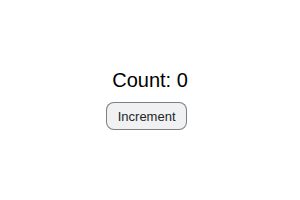
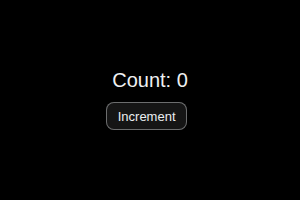
Before opening a window, run
ljos check on the directory to verify that your QML compiles cleanly and passes the accessibility and design lints:You can also format the file in place using
ljos fmt:ljos fmt lays out QML files with one member per line and four spaces per indentation level while keeping your comments and JavaScript expressions intact.Open
Main.qml in a window with ljos run:Without
--size, ljos run opens the window at the root item's own width and height (300 by 200 logical pixels here). If a root item leaves a dimension at 0, that side defaults to 800 by 600. You can override the window size from the command line with --size:Click the Increment button a few times. Each click updates
root.count, and the Text binding updates "Count: " + root.count immediately.Stop the previous run and start
ljos run again with --watch:Click Increment until the counter reads
Count: 3. Leave the window open, then edit Main.qml in your editor to change the background colour, the heading text and add a second button: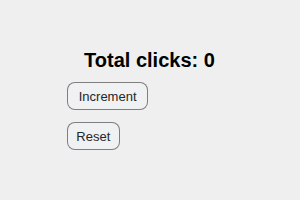
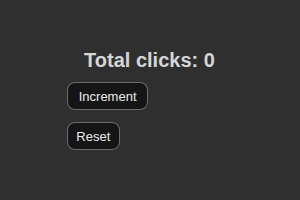
As soon as you save
Main.qml:The window stays open and changes its background from
palette.base to palette.button.root.count keeps its value (3), because it was assigned by a script handler (onClicked: root.count += 1) and root is matched across the reload by its id.label.text re-evaluates its new binding and shows "Total clicks: 3" in bold.The new Reset button appears below Increment.
If you make a syntax mistake while editing and save the file, the running application stays alive and shows an error banner with the file, line and column. When you fix the mistake and save again, the banner clears and the new QML applies in place.
You can also draw the project to a PNG image headlessly with
ljos render:This renders
Main.qml using the bundled font for deterministic output and writes preview.png at 300 by 200 pixels.