


What is Ljós?
Ljós is a Rust UI toolkit for malleable software, apps that
people and their agents can reshape while they run.
This page explains what Ljós is, what it gives you when you build an interface with it, and where to go next in the documentation.
Ljós is Icelandic for "light". It is a Rust UI toolkit for malleable software: apps that people and their agents can reshape while they run. Four things set it apart:
Malleable. The people who use an app can replace its interface with their own: a
shell.qml of theirs lays out what the app and its plugins offer, and the app's own shell comes back, with what broke and where, when theirs does not work.TypeScript first. Handlers, functions and bindings are typed TypeScript, checked before anything runs.
Observable. Every part of a running app can be inspected and driven, by a person in
ljos observe or by a coding agent over MCP.Stable. A fault stays inside the part of the interface that caused it, and an app at rest uses 0 % CPU.
You write the interface declaratively in QML, script it in TypeScript, and keep application logic, data models and domain services in Rust. Ljós renders through
egui, runs scripts with rquickjs, and targets desktop and mobile under the MIT licence. You can run a .qml file directly with ljos run, embed the ljos crate in a Rust binary and register your own native types, or start from QML you already have.An app built with Ljós can let the people who use it replace its whole interface. The app and its plugins keep the state and do the work, and contribute their pieces to named
Slots. A shell file lays those slots out. The app ships its own, and a ShellLoader shows the user's shell.qml in its place: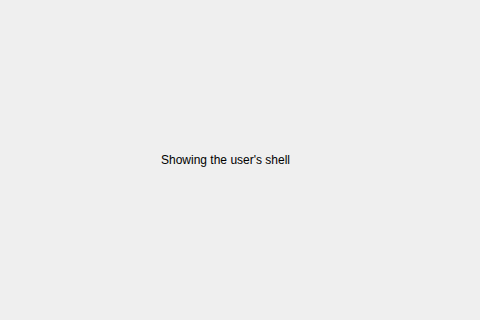
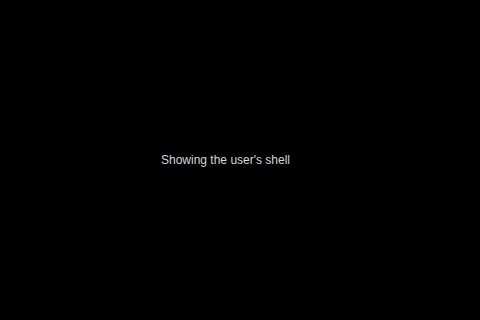
The app's own
AppShell.qml puts the status line at the top:The user's
shell.qml puts it in the middle of a tinted page:When the user's file does not compile, or throws, the loader shows the app's own shell and its
error says what broke and where, so an edit never leaves anyone without a working app. The pieces a shell is built from are blocks, types whose state, actions, events and slots an agent can list with blocks_list without running the app. Let users replace the shell walks through it.The rest is what keeps such an edit safe. Under
ljos run --watch each save of the shell applies to the running app and keeps its state, and an edit that breaks it leaves the shell that works running, with the error shown over the window until the file is fixed. The compiler and lints that check your files check the user's too, and a theme.json sets the app's colours without touching its QML. Hot reload covers the details.Scripts are TypeScript, checked before anything runs. A QML file imports a
.ts module as it imports a script and reaches what the module exports through its name. The types are for the checker only: they are erased, and what is left runs as a script does.

The file imports
Ljos.Ui, Ljós's own API. Change the call to Logic.only("c") and ljos check stops with error: `tag` is `"a" | "b"`; this gives it `"c"` [ts-assign-type] before the app runs. Handlers and bindings in a file of Ljós's API are held to the same rules. Every program the checker accepts is valid TypeScript with the same meaning, so tsc, editors and coding agents keep working on it.Every part of a running app can be inspected and driven, by a person or by a coding agent. Ljós ships two Model Context Protocol (MCP) servers out of the box:
ljos mcp starts the authoring server over standard input and output. It lets an agent check and lint QML files, format code, look up types and API status, explain binding tiers, and run behaviour scenarios without opening a window.ljos run --mcp starts the live inspector inside a running application. An agent (or the ljos observe window) can read the accessibility outline, inspect properties and their binding dependencies, synthesise real pointer and keyboard input, mutate properties, evaluate JavaScript and profile frames and wakes.Erlang-style
ErrorBoundary items isolate faults at run time, so a failing subtree can restart or show a fallback item without taking down the window. A runaway script is interrupted, and a Rust panic in a handler becomes a fault that the nearest boundary handles.An application at rest runs nothing. The UI thread sleeps until input, a running
Timer, a running animation, a message on a bounded inbox or the windowing system wakes it. Connecting an MCP inspector or opening ljos observe uses no polling timers; watches sleep on the server thread until the application actually does work.Interactive controls expose their role and accessible name through AccessKit, and the same tree drives screen readers, Gherkin behaviour tests and the MCP inspector.
ljos check and qml_lint audit your QML source for unnamed interactive items, pointer-only focus traps, contrast and motion rules, and untranslated strings.An app you already have in QML is a place to start: it runs on Ljós as it is written, and
ljos migrate rewrites it in Ljós's own API. A label in a frame comes out as: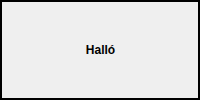
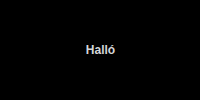
Bringing existing QML covers the whole path: how such a file runs, and what
ljos migrate changes in it.You can expose Rust structs to QML by deriving
QmlObject and marking methods and signals with #[qml_impl]. Properties declared with #[qml(notify)] participate in the QML binding graph, and #[qml(invokable)] methods can be called directly from QML handlers. You register your types into a module on an Engine with ljos::module!:Let users replace the shell to load the user's own
shell.qml, fall back to yours, and fill named slots.Install Ljós to set up the toolchain and build
ljos.Your first app to write a QML file, run it and change it live with
--watch.Command-line reference for every
ljos subcommand and option.Hot reload for how state is preserved across saves and how production bundles work.
Testing for
tst_*.qml suites, deterministic PNG renders and Gherkin scenarios.MCP servers for agents for the authoring server and live inspector tools.
Observer for inspecting processes, mailboxes, objects, memory and wakes with
ljos observe.Editor setup to connect your editor to
ljos lsp and check scripts with TypeScript itself.