
Elegant
Animations, transitions and reduced motion
Animate properties with PropertyAnimation, Behavior, Transition, springs, groups and frame callbacks while respecting the system reduced-motion setting.
Use PropertyAnimation (NumberAnimation, ColorAnimation, RotationAnimation), SpringAnimation and SmoothedAnimation to change property values over time, attach a Behavior to animate every change to a property, use Transition for state changes, and group steps with SequentialAnimation and ParallelAnimation.
Starting, stopping and value-source animations
A standalone animation does nothing until you call start() or set running: true:
Calling start() emits started (before the property moves and before running reads true), sets the target property to from immediately (if from is set; otherwise it starts from the property's current value), and advances it towards to.
When an animation reaches its end, it emits stopped and then finished, leaving the property at to.
Calling stop() leaves the property wherever it reached and emits stopped without finished—unless alwaysRunToEnd: true is set, in which case running becomes false immediately while the animation continues to its end value.
Calling complete() jumps the property to its end value and finishes; restart() stops a running animation and starts it again from the beginning.
Calling pause() on a running animation holds it still while keeping running: true, and resume() continues to the end (an animation that is not running cannot be paused).
A PropertyAnimation defaults to duration: 250, loops: 1, running: false, paused: false, alwaysRunToEnd: false, easing.type: Easing.Linear (0), easing.overshoot: 1.70158 and easing.period: 0.3 (with easing.amplitude also configurable for curves that use it, and a BezierSpline without control points acting as a straight line). ColorAnimation interpolates both RGB and alpha channels.
When you declare an animation directly on a property using on <property> (a value source), it starts automatically as soon as the object exists unless you set running: false.
Main.qml
QML
Copy
import Ljos.Ui

Rectangle {
    width: 200; height: 60; fill: palette.alternateBase

    Rectangle {
        id: knob
        width: 40; height: 40; y: 10; fill: palette.accent
    }

    NumberAnimation on x {
        target: knob
        from: 0; to: 160
        duration: 500
        easing.type: Easing.InOutQuad
    }
}
Edit
Source
What this example draws
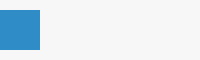
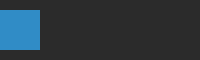
The accent square starts moving from 0 to 160 as soon as the window exists, taking 500 milliseconds and easing at both ends.
Behavior and Transition
Attach a Behavior on <property> to animate every subsequent change to that property, whether assigned from script, changed by a binding, or updated by a state change:
The initial value at creation is not animated.
If a new value is assigned while the Behavior's animation is already in flight, the animation starts from the property's current intermediate position and runs for the full duration towards the new targetValue. Even if a property is set to a new value and immediately back to its previous value, the animation still runs towards targetValue.
Setting enabled: false on the Behavior, or leaving it without a child animation, applies new values immediately.
Main.qml
QML
Copy
import Ljos.Ui

Rectangle {
    width: 200; height: 100; fill: palette.alternateBase

    Rectangle {
        id: knob
        x: 10; y: 30
        width: 40; height: 40; fill: palette.accent
        Behavior on x {
            NumberAnimation { duration: 300; easing.type: Easing.OutCubic }
        }
    }

    PointerArea {
        anchors.fill: parent
        Accessible.role: Accessible.Button
        Accessible.name: "Move the square"
        onClicked: knob.x = knob.x > 100 ? 10 : 150
    }
}
Edit
Source
What this example draws
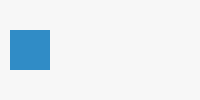
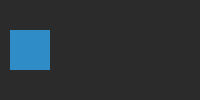
Each click toggles knob.x between 10 and 150, easing over 300 milliseconds instead of jumping.
A Transition (from, to, reversible, enabled, animations, running) animates the properties changed by a state transition; any property the Transition does not cover jumps to its new state value immediately. A transition with neither from nor to also runs when returning to the base state, ending at the base state's value.
Unlike PropertyAnimation, an Animator writes to its target property only once when it finishes—while it is running, the rendered picture moves on screen while the property still reads its old value.
Springs, smoothed motion, groups and loops
For physics-driven or velocity-capped movement:
SpringAnimation: pulls a property towards to using spring (default 0), damping (0), mass (1), epsilon (0.01), modulus (0) and velocity (0). With a positive spring, the value overshoots to, swings back and settles once within epsilon. With spring: 0, it moves at velocity. Setting modulus wraps the value and takes the shortest path around the modulus.
SmoothedAnimation: moves towards to at most at velocity (default 200, duration: -1), accelerating at the start and easing over maximumEasingTime (reversingMode can be SmoothedAnimation.Eased, Immediate or Sync). A velocity of 0 leaves the property where it is.
Main.qml
QML
Copy
import Ljos.Ui

Rectangle {
    width: 200; height: 60; fill: palette.alternateBase

    Rectangle {
        id: ball
        y: 20; width: 20; height: 20; radius: 10; fill: palette.accent
        Behavior on x {
            SpringAnimation { spring: 3; damping: 0.2 }
        }
    }

    PointerArea {
        anchors.fill: parent
        Accessible.role: Accessible.Button
        Accessible.name: "Send the ball here"
        onClicked: ball.x = mouseX
    }
}
Edit
Source
What this example draws
To combine animations or drive them manually:
SequentialAnimation and ParallelAnimation: SequentialAnimation runs its child animations one after another; ParallelAnimation runs them together and finishes with the longest child. Inside a sequence, PauseAnimation waits (250 ms by default), PropertyAction sets a property immediately, and ScriptAction runs a script immediately.
Loops: set loops: Animation.Infinite (-2) to repeat endlessly, or a positive integer such as loops: 2 to run twice and emit finished once at the end. Writing running and loops in either order works identically.
Hidden items: animations on an item with visible: false still reach their end, run any PropertyAction or ScriptAction, and emit finished (and endless animations keep running).
FrameAnimation, AnimationController and SpriteSequence: FrameAnimation (frame, elapsedTime, reset()) triggers once per frame while running; AnimationController drives a child animation to an explicit progress clamped between 0 and 1; SpriteSequence steps through Sprite items towards goal.
Main.qml
QML
Copy
import Ljos.Ui

Rectangle {
    width: 20; height: 20; radius: 10; fill: palette.linkVisited

    SequentialAnimation on opacity {
        loops: Animation.Infinite
        NumberAnimation { to: 0.2; duration: 400 }
        PauseAnimation { duration: 200 }
        NumberAnimation { to: 1; duration: 400 }
    }
}
Edit
Source
What this example draws
Reduced motion
When the operating system's reduced-motion setting is enabled (EnterTransition and ExitTransition in the Ljos.Design module also expose a read-only reduced boolean), Ljós automatically adjusts animations:
Spatial movement stops: nothing slides, grows or turns on its way to a target value. A slide completes in the step it starts in, and a Behavior on position, size, scale or rotation applies the new value immediately. If reduced motion is turned on while a slide is already running, the slide finishes at once; if turned off later, subsequent slides take their full duration again.
Fades and colour changes stay: opacity fades and ColorAnimation transitions still animate rather than snapping, but long fades are capped at a maximum of 150 milliseconds.
Endless loops and timers continue: an Animation.Infinite turn or pulse keeps running at its own pace (and can still be stopped), and Timer intervals are unaffected because a timer is not motion.
Limits and edge cases
Automatic handling of the system reduced-motion setting (snapping spatial movement, capping fades to 150 ms, and leaving Animation.Infinite loops and timers alone) is specific to Ljós.
A Behavior running in a desktop window without being read by script is covered by a desktop-specific scenario.
See also
Animations, transitions and reduced motion
Animate properties with PropertyAnimation, Behavior, Transition, springs, groups and frame callbacks while respecting the system reduced- motion setting.
Use PropertyAnimation (NumberAnimation, ColorAnimation, RotationAnimation), SpringAnimation and SmoothedAnimation to change property values over time, attach a Behavior to animate every change to a property, use Transition for state changes, and group steps with SequentialAnimation and ParallelAnimation.
Starting, stopping and value-source animations
A standalone animation does nothing until you call start() or set running: true:
Calling start() emits started (before the property moves and before running reads true), sets the target property to from immediately (if from is set; otherwise it starts from the property's current value), and advances it towards to.
When an animation reaches its end, it emits stopped and then finished, leaving the property at to.
Calling stop() leaves the property wherever it reached and emits stopped without finished—unless alwaysRunToEnd: true is set, in which case running becomes false immediately while the animation continues to its end value.
Calling complete() jumps the property to its end value and finishes; restart() stops a running animation and starts it again from the beginning.
Calling pause() on a running animation holds it still while keeping running: true, and resume() continues to the end (an animation that is not running cannot be paused).
A PropertyAnimation defaults to duration: 250, loops: 1, running: false, paused: false, alwaysRunToEnd: false, easing.type: Easing.Linear (0), easing.overshoot: 1.70158 and easing.period: 0.3 (with easing.amplitude also configurable for curves that use it, and a BezierSpline without control points acting as a straight line). ColorAnimation interpolates both RGB and alpha channels.
When you declare an animation directly on a property using on <property> (a value source), it starts automatically as soon as the object exists unless you set running: false.
Main.qml
QML
Copy
What this example draws
Edit
Source
import Ljos.Ui

Rectangle {
    width: 200; height: 60; fill: palette.alternateBase

    Rectangle {
        id: knob
        width: 40; height: 40; y: 10; fill: palette.accent
    }

    NumberAnimation on x {
        target: knob
        from: 0; to: 160
        duration: 500
        easing.type: Easing.InOutQuad
    }
}
Show all 17 lines
The accent square starts moving from 0 to 160 as soon as the window exists, taking 500 milliseconds and easing at both ends.
Behavior and Transition
Attach a Behavior on <property> to animate every subsequent change to that property, whether assigned from script, changed by a binding, or updated by a state change:
The initial value at creation is not animated.
If a new value is assigned while the Behavior's animation is already in flight, the animation starts from the property's current intermediate position and runs for the full duration towards the new targetValue. Even if a property is set to a new value and immediately back to its previous value, the animation still runs towards targetValue.
Setting enabled: false on the Behavior, or leaving it without a child animation, applies new values immediately.
Main.qml
QML
Copy
What this example draws
Edit
Source
import Ljos.Ui

Rectangle {
    width: 200; height: 100; fill: palette.alternateBase

    Rectangle {
        id: knob
        x: 10; y: 30
        width: 40; height: 40; fill: palette.accent
        Behavior on x {
            NumberAnimation { duration: 300; easing.type: Easing.OutCubic }
        }
    }

    PointerArea {
        anchors.fill: parent
        Accessible.role: Accessible.Button
        Accessible.name: "Move the square"
        onClicked: knob.x = knob.x > 100 ? 10 : 150
    }
}
Show all 21 lines
Each click toggles knob.x between 10 and 150, easing over 300 milliseconds instead of jumping.
A Transition (from, to, reversible, enabled, animations, running) animates the properties changed by a state transition; any property the Transition does not cover jumps to its new state value immediately. A transition with neither from nor to also runs when returning to the base state, ending at the base state's value.
Unlike PropertyAnimation, an Animator writes to its target property only once when it finishes—while it is running, the rendered picture moves on screen while the property still reads its old value.
Springs, smoothed motion, groups and loops
For physics-driven or velocity-capped movement:
SpringAnimation: pulls a property towards to using spring (default 0), damping (0), mass (1), epsilon (0.01), modulus (0) and velocity (0). With a positive spring, the value overshoots to, swings back and settles once within epsilon. With spring: 0, it moves at velocity. Setting modulus wraps the value and takes the shortest path around the modulus.
SmoothedAnimation: moves towards to at most at velocity (default 200, duration: -1), accelerating at the start and easing over maximumEasingTime (reversingMode can be SmoothedAnimation.Eased, Immediate or Sync). A velocity of 0 leaves the property where it is.
Main.qml
QML
Copy
What this example draws
Edit
Source
import Ljos.Ui

Rectangle {
    width: 200; height: 60; fill: palette.alternateBase

    Rectangle {
        id: ball
        y: 20; width: 20; height: 20; radius: 10; fill: palette.accent
        Behavior on x {
            SpringAnimation { spring: 3; damping: 0.2 }
        }
    }

    PointerArea {
        anchors.fill: parent
        Accessible.role: Accessible.Button
        Accessible.name: "Send the ball here"
        onClicked: ball.x = mouseX
    }
}
Show all 20 lines
To combine animations or drive them manually:
SequentialAnimation and ParallelAnimation: SequentialAnimation runs its child animations one after another; ParallelAnimation runs them together and finishes with the longest child. Inside a sequence, PauseAnimation waits (250 ms by default), PropertyAction sets a property immediately, and ScriptAction runs a script immediately.
Loops: set loops: Animation.Infinite (-2) to repeat endlessly, or a positive integer such as loops: 2 to run twice and emit finished once at the end. Writing running and loops in either order works identically.
Hidden items: animations on an item with visible: false still reach their end, run any PropertyAction or ScriptAction, and emit finished (and endless animations keep running).
FrameAnimation, AnimationController and SpriteSequence: FrameAnimation (frame, elapsedTime, reset()) triggers once per frame while running; AnimationController drives a child animation to an explicit progress clamped between 0 and 1; SpriteSequence steps through Sprite items towards goal.
Main.qml
QML
Copy
What this example draws
Edit
Source
import Ljos.Ui

Rectangle {
    width: 20; height: 20; radius: 10; fill: palette.linkVisited

    SequentialAnimation on opacity {
        loops: Animation.Infinite
        NumberAnimation { to: 0.2; duration: 400 }
        PauseAnimation { duration: 200 }
        NumberAnimation { to: 1; duration: 400 }
    }
}
Reduced motion
When the operating system's reduced-motion setting is enabled (EnterTransition and ExitTransition in the Ljos.Design module also expose a read-only reduced boolean), Ljós automatically adjusts animations:
Spatial movement stops: nothing slides, grows or turns on its way to a target value. A slide completes in the step it starts in, and a Behavior on position, size, scale or rotation applies the new value immediately. If reduced motion is turned on while a slide is already running, the slide finishes at once; if turned off later, subsequent slides take their full duration again.
Fades and colour changes stay: opacity fades and ColorAnimation transitions still animate rather than snapping, but long fades are capped at a maximum of 150 milliseconds.
Endless loops and timers continue: an Animation.Infinite turn or pulse keeps running at its own pace (and can still be stopped), and Timer intervals are unaffected because a timer is not motion.
Limits and edge cases
Automatic handling of the system reduced-motion setting (snapping spatial movement, capping fades to 150 ms, and leaving Animation.Infinite loops and timers alone) is specific to Ljós.
A Behavior running in a desktop window without being read by script is covered by a desktop-specific scenario.
See also