


Let users replace the shell
Load the user's own shell.qml with ShellLoader, fall back to the
app's own shell when theirs breaks, and let the app and its
plugins fill the named Slots the user's shell places.
After reading this page, you will be able to let the people who use your app replace its whole interface with a
shell.qml of their own, keep the app working when their file breaks, and let the app and its plugins put their pieces wherever the user's shell places them.This is what malleable means in Ljós: the person using an app decides how it looks and how it is laid out, alone or with a coding agent, and does not have to take the layout they were given. To make that possible, an app keeps two things apart:
What it does. The app and its plugins keep the state, do the work and hand their pieces (a button, a list, a status line) to named places.
How it is laid out. A shell is one QML file that lays those named places out. The app ships its own shell. The user may write another.
ShellLoader from Ljos.Blocks shows the user's shell and falls back to the app's own when theirs does not work. Its error says what broke and where, so a broken edit never leaves the user without an app. A Slot is a named place in a shell, and a Contribution is a piece the app or a plugin puts into the slot of that name, wherever the shell has placed it. The pieces a shell is built from are blocks: types whose properties, functions, signals and slots are their contract.The app below has a Save button and a status line, and lays out neither itself. It asks a
ShellLoader for the user's shell.qml, with its own AppShell.qml as the fallback, and contributes its two pieces to the slots toolbar and status: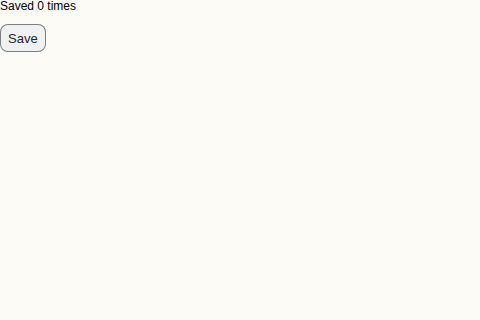
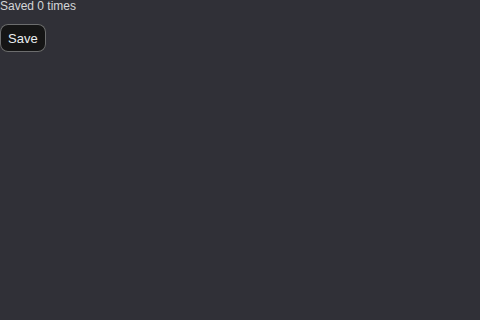
The app's own shell puts the toolbar above the status line:
The user's shell puts the status line first. It names the same slots and does not need to know what goes in them:
Save the three files in one directory and run
ljos run .. The status line shows above the button. Delete the last } of shell.qml and run it again: the app's own shell comes back with the button on top, and the line at the bottom reads …/shell.qml:5:1: Expected `}` but found `EOF` . The count of saves is the app's, so it is the same whichever shell shows it.ShellLoader is an Item that makes its shell inside itself:The loader makes the source's shell at once. It discards it and shows the fallback when the file does not compile, or when something in it faults while it is made: an exception in a binding or handler, or a panic in a native type. A fault in the user's shell later on does the same, because the loader is the boundary around its source's shell. When the fallback fails too, nothing is shown,
status is Error, and error gives both reasons, one per line. Setting a new source or fallback tries again, and error clears once the source's shell is shown.Its
reload() reads the user's files again and applies what changed, exactly as a save the watch saw is applied: the shell is made once, with the app's state kept, and a file that does not compile leaves what runs as it was, with the same fault. It is for a Reload button, an app that keeps no watch, or a save its watch missed. When the files are as they were, the shell that runs is kept and the app is told so (Report::Unchanged). Unless a file failed, a loader that shows its fallback then tries its source again, so a new theme the shell works with brings it back too. Where nothing reads the user's files, reload() only tries the source again. There it tries nothing while status is Ready, and a failure can change error just before status leaves Ready: to try again then, call reload() from statusChanged rather than errorChanged, or set source.Such a retry keeps the fallback, unseen, until the shell has been read once, because a shell can be made and still fail as it is first drawn. In that short time
status is Ready and error still holds the old reason, so test status to know which shell is in item. If the shell fails then, the same fallback comes back with what the user did in it. Both shells take memory meanwhile: a shell that fits only without the fallback stays on the fallback. A fault after that first frame, or a change of source or fallback, starts from a new fallback.A change during that short time discards both shells, and their memory is free a frame later. If the new source fails for want of memory before then,
status is Error for that frame, with a null item and the reason in error. The loader tries the source once more when the memory is free, and only then falls back. Setting source or fallback, or calling reload(), in that frame replaces the try.ShellLoader is not a Loader. A Loader holds one URL and only logs why it could not load; a ShellLoader holds two and says why in a property the app can show.A
Slot is a named place in a shell. It makes the items of every contribution to its name beside itself in its parent, so a Slot in a Row adds them to the row. Its children are its own delegate, which shows when nothing replaces it:

The row reads Back, Search, Edit, Share. A contribution goes when it is destroyed, and its item with it: a plugin loaded with a
Loader takes its contributions away when it unloads, and when it faults, and the slot's own delegate comes back.A block offers a slot of its own as a property of type
list<Contribution> and hands it to a Slot's contributions, so whoever uses the block fills it where they use it:

Ljós does not fix where a user's shell lives; the app chooses. The usual place is the app's per-user configuration directory,
Location::AppConfig: $XDG_CONFIG_HOME/<organization>/<app>/ on Linux (~/.config/<organization>/<app>/ when the variable is not set), and the platform's own place elsewhere. The host works it out and gives it to the root as its userShell, the property the example above declares. Without it, as under ljos run, the root looks for shell.qml beside itself.When the file is not there, the app's own shell shows and
error says the file was not found, so the app can offer to write a copy of its own shell for the user to start from.To make a shell from a file it was not built with, the app compiles that file on the device, so it links the compiler. A shipped app does that with
ljos's user-qml feature: it names the user's directory, and the files there go over the ones it was built with. Without the compiler the loader cannot make the user's file, so it shows the app's own shell and error says why.With
user-qml, the build keeps the text of each file it compiles in the pack, so that a user's file compiles against the same files the app was built from. Ask for the sources in build.rs by name: the default follows whether the build script's own ljos has user-qml, and Cargo shares features between a crate's build-dependencies and its dependencies only in some setups.A pack built without its sources still runs: a user's file is then not compiled, and
on_fault is told why once.The app names one directory:
Until the directory holds a QML file, nothing is parsed or compiled: the app runs from its pack, and one watch on the directory is all it adds.
A user's file with the name of one of the app's replaces it; a new name is a new type, such as the
Shell.qml a ShellLoader names. A theme.json there is followed as under ljos run.Each save is applied between two frames with the app's state kept, as hot reload applies one.
A file that does not compile leaves what runs as it was. Ljós draws nothing over the window: the fault goes to
on_fault, for the app to tell its user in its own way.Files load from that directory and the app's pack only. A network address, an absolute path, a
../ that leads out, and a link out of the directory are refused, and the refusal goes to on_fault.UserQml::watch(false) keeps no watch: the directory is read at start-up and whenever the app asks, from QML with a ShellLoader's reload() and from Rust with ShellApp::read_user_files_again. Each ask is applied as a save is, and its outcome is reported like one; Report::Unchanged says the files were as they were. With reads_when_asked(false) as well, the directory is read once, at start-up.A script can make QML of text (
Qt.createQmlObject) against the app's types, with the user's files over them. The compiler for it is made at the first text, not before.UserQml::loads_from(dir) names a directory the app loads QML from while it runs, such as plugins it fetched: Qt.createComponent and a Loader compile a file there when a script asks for it. A file there sees its own directory and the modules it imports, so a plugin that uses the app's types imports the app's module. Every other directory stays refused.A text or a plugin file that does not compile is the script's error, and it goes to
on_fault too.What it costs an app whose user has no file: the compiler makes the program about 8 MB larger, and it starts in the same time. It takes about 14 MB more memory, most of it what a reload needs to keep the app's state across a save. With
watch(false) that is still kept, so that a read the app asks for keeps its state too; with reads_when_asked(false) as well, it is not, and the app takes about 5 MB more.user-qml links no inspector and no reload overlay; those are the dev feature's, which builds on it, and compiling the whole app from source at start-up (App::qml_dirs) is dev-qml's. examples/user-shell is a small app that does this.Run the app with
ljos run --watch . and edit shell.qml. Each save makes the shell again and keeps the app's state: the count of saves stays where it was. Mending a file that did not compile brings the user's shell back in place of the fallback. An edit that breaks a shell that is showing does not take it away: the shell that works keeps running, and the reason goes to the reload error over the window, not to error. Hot reload has the details, and a theme file sets the app's colours the same way, without a change to any QML.A user who asks a coding agent to rearrange their app gives it the same tools a developer has:
ljos mcp, the authoring server, runs without the app. blocks_list lists the app's blocks with their state, actions, events and slots, read from the # block lines of its qmldir and its ljostypes.json. qml_check and qml_lint check the user's file before it is saved. qml_edit_apply makes one structured edit, such as moving a Slot or setting a binding, and leaves every other byte of the user's file as they wrote it.ljos run --mcp, the live inspector, works on the running app. app_inspect on the loader reads its status and error, app_screenshot shows the result, and app_reload applies an edit. A person sees the same in ljos observe.The showcase on ljos.dev is a whole app built this way.
A block is a type in a module, written in QML or in Rust. Its contract is its own members: readonly properties for the state it publishes, functions for the actions it takes, signals for what it reports, and
list<Contribution> properties for the slots it offers. A line in the module's qmldir lists it for blocks_list:The grammar is
# block <Name> <major.minor> <File.qml> [<Category>] ["<summary>"]. A block written in Rust says the same with #[qml(block, …)].Rust overview for
ErrorBoundary and how faults stay where they start