Elegant
Bringing existing QML
Run QML written for Qt Quick on Ljós, lower it to Ljós's API with --compat lower and ljos migrate, inventory what it uses with ljos check --port, and see where Ljós and Qt differ.
QML written for Qt Quick runs on Ljós, so an application you already have is a place to start. This page is the one place in these docs that compares Ljós with Qt. After reading it, you will be able to run an existing file as it is, lower it to Ljós's own API at load or for good with ljos migrate, type its scripts, inventory the Qt Quick types and members it uses with ljos check --port, and know where Ljós behaves differently from Qt.
Run it as it is
Files that import QtQuick, QtQuick.Controls, QtQuick.Layouts, QtQml.Models and the other common modules compile and run as they are written:
Shell
Copy
ljos run Main.qml
Their scripts are plain JavaScript, and the TypeScript checker does not read them. Where Qt defines an observable behaviour, such a file behaves that way on Ljós: setting visible: false keeps bindings and timers running, reuseItems defaults to false, and a Repeater creates every delegate. Ljós saves work only where the saving cannot be observed, where analysis proves it safe, or where the application opts in (see Goals and principles).
Lower it as it loads: --compat lower
Ljós's own API names some things differently: a Rectangle's color is its fill, and a MouseArea, which also takes a pen and a finger, becomes a Tap or a PointerArea. With --compat lower, each file is lowered to that API as it loads, every name at once, and makes the same objects:
Shell
Copy
ljos run --compat lower Main.qml
ljos render --compat lower Main.qml
A file the pass cannot lower whole runs as it is written, and files that name one another are lowered together or not at all. --watch does not lower yet, so ljos run refuses --watch and --compat lower together.
Move it for good: ljos migrate
ljos migrate writes the same lowered text into your files. Without --write it says what it would do:
Shell
Copy
ljos migrate Main.qml
ljos migrate --write Main.qml
Text
Copy
lowered Main.qml (3 edits)
1 files, 1 lowered, 0 kept
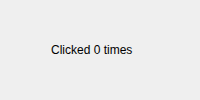
Given this file:
Main.qml
QML
Before
Copy
import QtQuick

Rectangle {
    id: root
    width: 200
    height: 100
    color: palette.button
    property int clicks: 0

    Text {
        anchors.centerIn: parent
        color: palette.buttonText
        text: "Clicked " + root.clicks + " times"
    }

    MouseArea {
        anchors.fill: parent
        Accessible.role: Accessible.Button
        Accessible.name: "Count"
        onClicked: root.clicks += 1
    }
}
Edit
Source
What this example draws
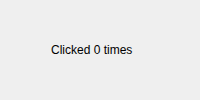
ljos migrate --write leaves every line where it was and changes the names:
Main.qml
QML
Copy
import Ljos.Ui

Rectangle {
    id: root
    width: 200
    height: 100
    fill: palette.button
    property int clicks: 0

    Text {
        anchors.centerIn: parent
        color: palette.buttonText
        text: "Clicked " + root.clicks + " times"
    }

    PointerArea {
        anchors.fill: parent
        Accessible.role: Accessible.Button
        Accessible.name: "Count"
        onClicked: root.clicks += 1
    }
}
Edit
Source
What this example draws
Renaming and typing are two steps. Where a file's scripts break the TypeScript rules, the migrated file says pragma Scripts: JavaScript, so they keep compiling as they did, with ==, null, var and if (count); where they keep the rules, as above, it is left out. Taking the pragma out is the step that types the file: ljos check then holds its handlers and bindings to the TypeScript rules (see TypeScript and JavaScript) and says what to change.
Constant models become typed lists. A ListModel of constants becomes a typed list, with its row type written to <File>.rows.ts beside the file. A hand-written module at that path is never overwritten: the file is kept and migrate says why.
Directories are projects. Each directory named is read as a project, as ljos run reads it, and a file named alone belongs to the project of its directory. When a group of files that name one another holds a file you did not name, none of the group is written, and migrate says which file to name too. Give it one application's directory, not a tree of several.
Controls keep their look. import QtQuick.Controls means the style the program starts with; --style NAME says which that is. A file is lowered only where that style is Basic, and its controls come from Ljos.Controls.Basic, so it keeps the look it had. Moving it to Ljós's own style is one edit, its import (see Controls overview).
Native types. --types FILE names the description of the program's own types, as ljos run --types does. Without it, migrate reads the ljostypes.json of the first path given.
Exit status. 0 means every file was read; 2 means a file or the types description could not be read or written, and nothing was migrated.
Where Qt's members go
A file of Ljós's API has no Qt global: ljos check stops on one with a qt-global error that names the member's home, and migrate writes each member there. A file that uses a member with no home yet (Qt.createComponent, Qt.createQmlObject), or whose own names hide a home, is kept, and migrate says which member kept it. So is a file that hands Qt.application on whole, as a Connections target or a value (App is read member by member), and one that calls Qt.exit with a code other than 0, which does not reach the process yet. Colours, the app and enums describes the homes.
In Qt's QML
In Ljós's API
Qt.point, size, rect, vector3d, matrix4x4, …
point(…), size(…) and the others (Ljos.Core)
Qt.rgba, hsla, hsva
rgba(…), hsla(…), hsva(…) (Ljos.Core)
Qt.color(s), Qt.darker(c, f), lighter, tint, alpha
Color.of(s), Color.of(c).darker(f) and the others (Ljos.Core)
Qt.colorEqual(a, b)
Color.of(a).equals(b) (Ljos.Core)
Qt.red and the other colours of Qt
the colour's name, "red"
Qt.font({…}), Qt.fontFamilies()
Font.of({…}), Font.families() (Ljos.Ui)
Qt.binding(f), Qt.callLater(f), Qt.resolvedUrl(u)
bind(f), later(f), url(u) (Ljos.Core)
Qt.application.*, Qt.platform, Qt.uiLanguage, Qt.styleHints, Qt.inputMethod
App.*, App.platform, App.language, App.hints, App.inputMethod (Ljos.Core)
Qt.quit(), Qt.exit(code), Qt.openUrlExternally(u)
App.quit(), App.exit(code), App.openUrlExternally(u) (Ljos.Core)
Qt.locale(name), Qt.formatDate(d, f)
Locale.named(name), Locale.current.formatDate(d, f) (Ljos.Core)
Qt.AlignLeft, Qt.Key_Return, Qt.LeftButton, Qt.ControlModifier
Align.Left, Key.Return, MouseButton.Left, Modifier.Control (Ljos.Ui), with the same numbers
QtObject
Object (Ljos.Core)
Inventory what it uses with ljos check --port
Point ljos check --port at a directory of .qml files (or a single .qml file) to compare every type, property, signal, and method your QML uses against Ljós's built-in type table and Qt 6's qmltypes table:
Shell
Copy
ljos check --port path/to/qml
ljos check --port --tree examples/      # each group/project dir is its own project
ljos check --port --limit 10 path/to/qml
For a file that uses Item and QtQuick.Controls's Calendar, ljos check --port prints:
Text
Copy
1 files, 2 uses of 2 types and 0 members
Ljós has 1, lacks 1, cannot place 0

module            supported  missing  unknown  missing uses
QtQuick.Controls          0        1        0             1
QtQuick                   1        0        0             0

missing
QtQuick.Controls
  type     Calendar     1 use in 1 file  not in Ljós's type table
Each item your QML touches is classified into one of three buckets:
supported: Present in Ljós's type table (or marked supported in your ledger), or defined in your own QML project.
missing: Present in Qt's qmltypes table, or in a known Qt* module that Ljós does not ship, and absent from Ljós's type table (or marked partial, dropped, or unsupported in your ledger).
unknown ("cannot place"): Neither in Ljós nor in Qt's table—typically a C++ or Rust type registered at run time, or an unresolvable expression receiver.
Modules are ordered by missing uses so the module blocking the most call sites appears first; within a module, types and members with the most uses appear first. --limit N caps the missing list to the top N items per module. The api_status MCP tool in ljos mcp returns the same classification when an editor or agent queries a symbol.
By default, ljos check --port exits with 0 even when missing items are found; syntax errors are counted in parse_errors so a half-ported tree still produces a complete inventory.
JSON output
Add --json to emit a single machine-readable JSON object on stdout:
Shell
Copy
ljos check --port --json path/to/qml > port-report.json
Top-level fields in the JSON report are:
files, parse_errors, type_uses, member_uses
distinct: { "types", "members", "supported", "missing", "unknown" }
uses: { "supported", "missing", "unknown" }
modules: array of { "module", "supported", "missing", "unknown", "missing_uses" }
missing, partial, unknown: arrays of { "module", "type", "member", "kind", "status", "uses", "files", "reason" }
When you run ljos check --port --tree --json, the output has { "projects": [ { "name", "path", ...report }, ... ] }.
The API ledger (--ledger)
A ledger is a TOML file of [[row]] entries that records your team's decisions about specific QML APIs:
TOML
Copy
[[row]]
module = "QtQuick"
type = "Item"
member = "antialiasing"
kind = "property"
status = "supported"
scenarios = ["@api-QtQuick.Item.antialiasing"]

[[row]]
module = "QtQuick"
type = "Text"
member = "fontSizeMode"
kind = "property"
status = "partial"
reason = "parsed and stored; layout still uses pixelSize"

[[row]]
module = "Qt5Compat.GraphicalEffects"
type = "DropShadow"
kind = "type"
status = "dropped"
reason = "Qt 5 compat; use MultiEffect or Rectangle shadow"
Pass the ledger with --ledger path/to/ledger.toml. Each row requires:
module and type, plus member for a property, method, signal, or attached property (member is omitted when kind = "type").
kind: "type", "property", "method", "signal", or "attached".
status: "supported", "partial", "dropped", or "unsupported".
reason: required for "partial", "dropped", and "unsupported", and shown in ljos check --port output.
scenarios: optional list of @api-... tags linking the entry to feature tests.
A member row (module + type + member) takes precedence over a type row (module + type), which takes precedence over the built-in tables. A partial row still counts as missing (and is listed in its own partial section) because a half-implemented property can silently misrender an app until verified.
Failing the build on gaps (--deny-missing)
Use --deny-missing in CI to fail the build whenever your QML uses an unapproved missing type or member:
Shell
Copy
ljos check --port --deny-missing path/to/qml
ljos check --port --deny-missing --ledger port-ledger.toml path/to/qml
When distinct.missing > 0, the command prints the report, writes ljos: N types or members Ljós lacks to stderr, and exits with code 1. Unknown items (cannot place) do not fail the check.
What to do about a missing type or member
When ljos check --port reports a missing type or member, you have five options:
1.
Check what you actually use: Many QML files set properties that have no visual effect in their context (such as smooth: true on a solid-colour Rectangle). Remove the unused assignment or mark it supported in your project ledger if it is benign for your app.
2.
Replace Qt 5 compatibility modules: Modules such as Qt5Compat.GraphicalEffects (ColorOverlay, DropShadow, LinearGradient) can often be replaced with plain Rectangle gradients, opacity, or QtQuick.Shapes.
3.
Provide the type in your application: Drop a .qml file of the same name into your QML directory, or register a native Rust type with #[derive(QmlObject)], and add a supported row to your ledger.
4.
Let non-goal 3D or timeline modules stand in as empty items: When an application imports a module that Ljós does not draw—such as QtQuick3D or QtQuick.Timeline—its types automatically stand in as empty Items. Their geometry, ids, children, and custom properties, signals, and functions remain intact, Ljós logs a single warning per module, and the rest of the window loads and runs around them.
5.
Drop or defer the feature: If you remove the feature from your QML, record status = "dropped" with a reason in your ledger so future runs explain why; if the feature is waiting on Ljós support, record status = "unsupported" with a reason so the gap is tracked in one place.
Testing against Qt
Ljós is tested against Qt 6.11 (qml6) wherever Qt can observe the behaviour:
Behaviour scenarios tagged @qt-parity were checked against real Qt and run on both. mise run features:parity runs them on qml6. A scenario tagged @qt-diverges records a deliberate difference and its reason, and one tagged @ljos-only covers something Qt does not have or that the Qt oracle cannot drive: input-method composition, reaching links with the Tab key, links in the accessibility tree, and what happens between press and release (pressAndHold, autoRepeat, canceled), since the comparison tool sends whole clicks.
Custom ShaderEffect output, ShaderEffectSource sampling, RectangularShadow and MultiEffect output, and particle colours are checked by Ljós's own tests rather than Qt's renderer.
The qt_compare tool of ljos mcp renders a file on Ljós and on a local Qt and compares them.
ljos test runs tst_*.qml suites written for Qt Quick Test unchanged and prints qmltestrunner's format (see Testing).
ljos bench measures the same applications on Ljós and on Qt (see Performance and benchmarks).
These need a local qml6, Qt 6.11 or newer. Nothing else in Ljós does.
Where Ljós and Qt differ
Behaviour that follows Qt
A ListModel emits the same signals as Qt's item model, and a delegate's index becomes -1 when its row is removed.
"".indexOf("") returns -1 and Math.hypot divides its arguments by the largest magnitude before summing, as Qt's JavaScript engine does.
A JavaScript exception in a handler or binding is logged and stops only that handler or binding, unless an ErrorBoundary with catchExceptions: true is around it.
On Linux, StandardKey chooses its key bindings from XDG_CURRENT_DESKTOP, as Qt does.
On macOS a MenuBar is the system's menu bar, as in Qt 6.8 and later.
Qt.uiLanguage is writable, as in Qt, and Linguist .ts catalogues are read and written as Qt's tools write them.
Form files ending in .ui.qml, as Qt Design Studio writes them, load as components.
The Basic style's palette.placeholderText keeps Qt's value, which has a 3.04:1 contrast on white.
Behaviour that differs
Styles. There are no Windows or iOS styles. import QtQuick.Controls.macOS works on every platform, but draws only Button: the other controls are Basic's, where Qt's fall back to Fusion, and a program that chooses no style on macOS gets Basic. Fusion, Material and Universal draw Basic's shapes in their own sizes and colours, and Material's variant and shade() are not available. A plain Item gives child controls the style's default colours where Qt on the desktop reads the platform palette.
Accessibility. Controls' default roles and states follow Qt's specification; Qt does not expose them to QML, so they are not compared at run time. Qt.styleHints.accessibility.motionPreference is there, though Qt documents it for a release after 6.11, and fontScale, screenReaderActive and font.scaleWithSystem are Ljós's own.
Reduced motion. Ljós applies reduced motion to every animation; Qt leaves it to the application. A file that must behave the same under qml6 gates its own motion (see Gating motion in your own components).
Translations. Compiled .qm catalogues are not read: Ljós reads .ts in development and its own .ljl at run time. A small override table covers languages where Qt's numerus forms differ from CLDR's plural rules.
Shaders. The .qsb container is not read. For X.frag.qsb, Ljós uses X.frag.ljsh or compiles the GLSL 440 source X.frag beside it.
Text. The margin between blocks in MarkdownText is always 7 pixels; in Qt it depends on how many times text has been set.
Views. When a script sets a ListView's currentIndex, the change is not yet notified after layout in Qt's order. A virtualised view's delegate count is checked within a band, since Qt does not promise an exact number.
Edge cases marked @qt-diverges. A Behavior on one member of a point while the other is unchanged, VectorImage's handling of a missing file, rounded corners on a bevelled PathRectangle, and SVG path arc flags written without separators.
Coming from Qt's C++ API
Native types are written in Rust. Where a Qt application reaches for C++ API, Ljós has:
In Qt
In Ljós
A Q_PROPERTY with a WRITE function
#[qml(write = Self::name)] (Native types in Rust)
QAbstractListModel
The QmlListModel trait and Engine::set_list_model (Models for views)
A QQmlEngine per window, for per-window singletons
One Engine and #[qml_singleton(scope = "window")] (Singletons and multiple windows)
qmlRegisterSingletonInstance
A window scope opened ahead of time (Singletons and multiple windows)
An application that also runs on Qt can keep Ljos.Design's tokens as plain QML files with ljos design export <dir> (see Design guardrails).
See also
Bringing existing QML
Run QML written for Qt Quick on Ljós, lower it to Ljós's API with --compat lower and ljos migrate, inventory what it uses with ljos check --port, and see where Ljós and Qt differ.
QML written for Qt Quick runs on Ljós, so an application you already have is a place to start. This page is the one place in these docs that compares Ljós with Qt. After reading it, you will be able to run an existing file as it is, lower it to Ljós's own API at load or for good with ljos migrate, type its scripts, inventory the Qt Quick types and members it uses with ljos check --port, and know where Ljós behaves differently from Qt.
Run it as it is
Files that import QtQuick, QtQuick.Controls, QtQuick.Layouts, QtQml.Models and the other common modules compile and run as they are written:
Shell
Copy
ljos run Main.qml
Their scripts are plain JavaScript, and the TypeScript checker does not read them. Where Qt defines an observable behaviour, such a file behaves that way on Ljós: setting visible: false keeps bindings and timers running, reuseItems defaults to false, and a Repeater creates every delegate. Ljós saves work only where the saving cannot be observed, where analysis proves it safe, or where the application opts in (see Goals and principles).
Lower it as it loads: --compat lower
Ljós's own API names some things differently: a Rectangle's color is its fill, and a MouseArea, which also takes a pen and a finger, becomes a Tap or a PointerArea. With --compat lower, each file is lowered to that API as it loads, every name at once, and makes the same objects:
Shell
Copy
ljos run --compat lower Main.qml
ljos render --compat lower Main.qml
A file the pass cannot lower whole runs as it is written, and files that name one another are lowered together or not at all. --watch does not lower yet, so ljos run refuses --watch and --compat lower together.
Move it for good: ljos migrate
ljos migrate writes the same lowered text into your files. Without --write it says what it would do:
Shell
Copy
ljos migrate Main.qml
ljos migrate --write Main.qml
Text
Copy
lowered Main.qml (3 edits)
1 files, 1 lowered, 0 kept
Given this file:
Main.qml
QML
Before
Copy
What this example draws
Edit
Source
import QtQuick

Rectangle {
    id: root
    width: 200
    height: 100
    color: palette.button
    property int clicks: 0

    Text {
        anchors.centerIn: parent
        color: palette.buttonText
        text: "Clicked " + root.clicks + " times"
    }

    MouseArea {
        anchors.fill: parent
        Accessible.role: Accessible.Button
        Accessible.name: "Count"
        onClicked: root.clicks += 1
    }
}
Show all 22 lines
ljos migrate --write leaves every line where it was and changes the names:
Main.qml
QML
Copy
What this example draws
Edit
Source
import Ljos.Ui

Rectangle {
    id: root
    width: 200
    height: 100
    fill: palette.button
    property int clicks: 0

    Text {
        anchors.centerIn: parent
        color: palette.buttonText
        text: "Clicked " + root.clicks + " times"
    }

    PointerArea {
        anchors.fill: parent
        Accessible.role: Accessible.Button
        Accessible.name: "Count"
        onClicked: root.clicks += 1
    }
}
Show all 22 lines
Renaming and typing are two steps. Where a file's scripts break the TypeScript rules, the migrated file says pragma Scripts: JavaScript, so they keep compiling as they did, with ==, null, var and if (count); where they keep the rules, as above, it is left out. Taking the pragma out is the step that types the file: ljos check then holds its handlers and bindings to the TypeScript rules (see TypeScript and JavaScript) and says what to change.
Constant models become typed lists. A ListModel of constants becomes a typed list, with its row type written to <File>.rows.ts beside the file. A hand-written module at that path is never overwritten: the file is kept and migrate says why.
Directories are projects. Each directory named is read as a project, as ljos run reads it, and a file named alone belongs to the project of its directory. When a group of files that name one another holds a file you did not name, none of the group is written, and migrate says which file to name too. Give it one application's directory, not a tree of several.
Controls keep their look. import QtQuick.Controls means the style the program starts with; --style NAME says which that is. A file is lowered only where that style is Basic, and its controls come from Ljos.Controls.Basic, so it keeps the look it had. Moving it to Ljós's own style is one edit, its import (see Controls overview).
Native types. --types FILE names the description of the program's own types, as ljos run --types does. Without it, migrate reads the ljostypes.json of the first path given.
Exit status. 0 means every file was read; 2 means a file or the types description could not be read or written, and nothing was migrated.
Where Qt's members go
A file of Ljós's API has no Qt global: ljos check stops on one with a qt-global error that names the member's home, and migrate writes each member there. A file that uses a member with no home yet (Qt.createComponent, Qt.createQmlObject), or whose own names hide a home, is kept, and migrate says which member kept it. So is a file that hands Qt.application on whole, as a Connections target or a value (App is read member by member), and one that calls Qt.exit with a code other than 0, which does not reach the process yet. Colours, the app and enums describes the homes.
In Qt's QML
In Ljós's API
Qt.point, size, rect, vector3d, matrix4x4, …
point(…), size(…) and the others (Ljos.Core)
Qt.rgba, hsla, hsva
rgba(…), hsla(…), hsva(…) (Ljos.Core)
Qt.color(s), Qt.darker(c, f), lighter, tint, alpha
Color.of(s), Color.of(c).darker(f) and the others (Ljos.Core)
Qt.colorEqual(a, b)
Color.of(a).equals(b) (Ljos.Core)
Qt.red and the other colours of Qt
the colour's name, "red"
Qt.font({…}), Qt.fontFamilies()
Font.of({…}), Font.families() (Ljos.Ui)
Qt.binding(f), Qt.callLater(f), Qt.resolvedUrl(u)
bind(f), later(f), url(u) (Ljos.Core)
Qt.application.*, Qt.platform, Qt.uiLanguage, Qt.styleHints, Qt.inputMethod
App.*, App.platform, App.language, App.hints, App.inputMethod (Ljos.Core)
Qt.quit(), Qt.exit(code), Qt.openUrlExternally(u)
App.quit(), App.exit(code), App.openUrlExternally(u) (Ljos.Core)
Qt.locale(name), Qt.formatDate(d, f)
Locale.named(name), Locale.current.formatDate(d, f) (Ljos.Core)
Qt.AlignLeft, Qt.Key_Return, Qt.LeftButton, Qt.ControlModifier
Align.Left, Key.Return, MouseButton.Left, Modifier.Control (Ljos.Ui), with the same numbers
QtObject
Object (Ljos.Core)
Inventory what it uses with ljos check --port
Point ljos check --port at a directory of .qml files (or a single .qml file) to compare every type, property, signal, and method your QML uses against Ljós's built-in type table and Qt 6's qmltypes table:
Shell
Copy
ljos check --port path/to/qml
ljos check --port --tree examples/      # each group/project dir is its own project
ljos check --port --limit 10 path/to/qml
For a file that uses Item and QtQuick.Controls's Calendar, ljos check --port prints:
Text
Copy
1 files, 2 uses of 2 types and 0 members
Ljós has 1, lacks 1, cannot place 0

module            supported  missing  unknown  missing uses
QtQuick.Controls          0        1        0             1
QtQuick                   1        0        0             0

missing
QtQuick.Controls
  type     Calendar     1 use in 1 file  not in Ljós's type table
Each item your QML touches is classified into one of three buckets:
supported: Present in Ljós's type table (or marked supported in your ledger), or defined in your own QML project.
missing: Present in Qt's qmltypes table, or in a known Qt* module that Ljós does not ship, and absent from Ljós's type table (or marked partial, dropped, or unsupported in your ledger).
unknown ("cannot place"): Neither in Ljós nor in Qt's table—typically a C++ or Rust type registered at run time, or an unresolvable expression receiver.
Modules are ordered by missing uses so the module blocking the most call sites appears first; within a module, types and members with the most uses appear first. --limit N caps the missing list to the top N items per module. The api_status MCP tool in ljos mcp returns the same classification when an editor or agent queries a symbol.
By default, ljos check --port exits with 0 even when missing items are found; syntax errors are counted in parse_errors so a half-ported tree still produces a complete inventory.
JSON output
Add --json to emit a single machine-readable JSON object on stdout:
Shell
Copy
ljos check --port --json path/to/qml > port-report.json
Top-level fields in the JSON report are:
files, parse_errors, type_uses, member_uses
distinct: { "types", "members", "supported", "missing", "unknown" }
uses: { "supported", "missing", "unknown" }
modules: array of { "module", "supported", "missing", "unknown", "missing_uses" }
missing, partial, unknown: arrays of { "module", "type", "member", "kind", "status", "uses", "files", "reason" }
When you run ljos check --port --tree --json, the output has { "projects": [ { "name", "path", ...report }, ... ] }.
The API ledger (--ledger)
A ledger is a TOML file of [[row]] entries that records your team's decisions about specific QML APIs:
TOML
Copy
[[row]]
module = "QtQuick"
type = "Item"
member = "antialiasing"
kind = "property"
status = "supported"
scenarios = ["@api-QtQuick.Item.antialiasing"]

[[row]]
module = "QtQuick"
type = "Text"
member = "fontSizeMode"
kind = "property"
status = "partial"
reason = "parsed and stored; layout still uses pixelSize"

[[row]]
module = "Qt5Compat.GraphicalEffects"
type = "DropShadow"
kind = "type"
status = "dropped"
reason = "Qt 5 compat; use MultiEffect or Rectangle shadow"
Show all 22 lines
Pass the ledger with --ledger path/to/ledger.toml. Each row requires:
module and type, plus member for a property, method, signal, or attached property (member is omitted when kind = "type").
kind: "type", "property", "method", "signal", or "attached".
status: "supported", "partial", "dropped", or "unsupported".
reason: required for "partial", "dropped", and "unsupported", and shown in ljos check --port output.
scenarios: optional list of @api-... tags linking the entry to feature tests.
A member row (module + type + member) takes precedence over a type row (module + type), which takes precedence over the built-in tables. A partial row still counts as missing (and is listed in its own partial section) because a half-implemented property can silently misrender an app until verified.
Failing the build on gaps (--deny-missing)
Use --deny-missing in CI to fail the build whenever your QML uses an unapproved missing type or member:
Shell
Copy
ljos check --port --deny-missing path/to/qml
ljos check --port --deny-missing --ledger port-ledger.toml path/to/qml
When distinct.missing > 0, the command prints the report, writes ljos: N types or members Ljós lacks to stderr, and exits with code 1. Unknown items (cannot place) do not fail the check.
What to do about a missing type or member
When ljos check --port reports a missing type or member, you have five options:
1.
Check what you actually use: Many QML files set properties that have no visual effect in their context (such as smooth: true on a solid-colour Rectangle). Remove the unused assignment or mark it supported in your project ledger if it is benign for your app.
2.
Replace Qt 5 compatibility modules: Modules such as Qt5Compat.GraphicalEffects (ColorOverlay, DropShadow, LinearGradient) can often be replaced with plain Rectangle gradients, opacity, or QtQuick.Shapes.
3.
Provide the type in your application: Drop a .qml file of the same name into your QML directory, or register a native Rust type with #[derive(QmlObject)], and add a supported row to your ledger.
4.
Let non-goal 3D or timeline modules stand in as empty items: When an application imports a module that Ljós does not draw—such as QtQuick3D or QtQuick.Timeline—its types automatically stand in as empty Items. Their geometry, ids, children, and custom properties, signals, and functions remain intact, Ljós logs a single warning per module, and the rest of the window loads and runs around them.
5.
Drop or defer the feature: If you remove the feature from your QML, record status = "dropped" with a reason in your ledger so future runs explain why; if the feature is waiting on Ljós support, record status = "unsupported" with a reason so the gap is tracked in one place.
Testing against Qt
Ljós is tested against Qt 6.11 (qml6) wherever Qt can observe the behaviour:
Behaviour scenarios tagged @qt-parity were checked against real Qt and run on both. mise run features:parity runs them on qml6. A scenario tagged @qt-diverges records a deliberate difference and its reason, and one tagged @ljos-only covers something Qt does not have or that the Qt oracle cannot drive: input-method composition, reaching links with the Tab key, links in the accessibility tree, and what happens between press and release (pressAndHold, autoRepeat, canceled), since the comparison tool sends whole clicks.
Custom ShaderEffect output, ShaderEffectSource sampling, RectangularShadow and MultiEffect output, and particle colours are checked by Ljós's own tests rather than Qt's renderer.
The qt_compare tool of ljos mcp renders a file on Ljós and on a local Qt and compares them.
ljos test runs tst_*.qml suites written for Qt Quick Test unchanged and prints qmltestrunner's format (see Testing).
ljos bench measures the same applications on Ljós and on Qt (see Performance and benchmarks).
These need a local qml6, Qt 6.11 or newer. Nothing else in Ljós does.
Where Ljós and Qt differ
Behaviour that follows Qt
A ListModel emits the same signals as Qt's item model, and a delegate's index becomes -1 when its row is removed.
"".indexOf("") returns -1 and Math.hypot divides its arguments by the largest magnitude before summing, as Qt's JavaScript engine does.
A JavaScript exception in a handler or binding is logged and stops only that handler or binding, unless an ErrorBoundary with catchExceptions: true is around it.
On Linux, StandardKey chooses its key bindings from XDG_CURRENT_DESKTOP, as Qt does.
On macOS a MenuBar is the system's menu bar, as in Qt 6.8 and later.
Qt.uiLanguage is writable, as in Qt, and Linguist .ts catalogues are read and written as Qt's tools write them.
Form files ending in .ui.qml, as Qt Design Studio writes them, load as components.
The Basic style's palette.placeholderText keeps Qt's value, which has a 3.04:1 contrast on white.
Behaviour that differs
Styles. There are no Windows or iOS styles. import QtQuick.Controls.macOS works on every platform, but draws only Button: the other controls are Basic's, where Qt's fall back to Fusion, and a program that chooses no style on macOS gets Basic. Fusion, Material and Universal draw Basic's shapes in their own sizes and colours, and Material's variant and shade() are not available. A plain Item gives child controls the style's default colours where Qt on the desktop reads the platform palette.
Accessibility. Controls' default roles and states follow Qt's specification; Qt does not expose them to QML, so they are not compared at run time. Qt.styleHints.accessibility.motionPreference is there, though Qt documents it for a release after 6.11, and fontScale, screenReaderActive and font.scaleWithSystem are Ljós's own.
Reduced motion. Ljós applies reduced motion to every animation; Qt leaves it to the application. A file that must behave the same under qml6 gates its own motion (see Gating motion in your own components).
Translations. Compiled .qm catalogues are not read: Ljós reads .ts in development and its own .ljl at run time. A small override table covers languages where Qt's numerus forms differ from CLDR's plural rules.
Shaders. The .qsb container is not read. For X.frag.qsb, Ljós uses X.frag.ljsh or compiles the GLSL 440 source X.frag beside it.
Text. The margin between blocks in MarkdownText is always 7 pixels; in Qt it depends on how many times text has been set.
Views. When a script sets a ListView's currentIndex, the change is not yet notified after layout in Qt's order. A virtualised view's delegate count is checked within a band, since Qt does not promise an exact number.
Edge cases marked @qt-diverges. A Behavior on one member of a point while the other is unchanged, VectorImage's handling of a missing file, rounded corners on a bevelled PathRectangle, and SVG path arc flags written without separators.
Coming from Qt's C++ API
Native types are written in Rust. Where a Qt application reaches for C++ API, Ljós has:
In Qt
In Ljós
A Q_PROPERTY with a WRITE function
#[qml(write = Self::name)] (Native types in Rust)
QAbstractListModel
The QmlListModel trait and Engine::set_list_model (Models for views)
A QQmlEngine per window, for per-window singletons
One Engine and #[qml_singleton(scope = "window")] (Singletons and multiple windows)
qmlRegisterSingletonInstance
A window scope opened ahead of time (Singletons and multiple windows)
An application that also runs on Qt can keep Ljos.Design's tokens as plain QML files with ljos design export <dir> (see Design guardrails).
See also