
Elegant
Components and Dynamic Objects
Define reusable components in files or inline, enforce required properties, load items with Loader, and create or destroy objects from JavaScript.
After reading this page, you will be able to define file components and inline components, mark properties as required, load and swap components with Loader, and create or destroy objects dynamically from JavaScript.
File components and .ui.qml forms
Every .qml file whose name starts with an upper-case letter defines a QML component type named after the file. Other QML files in the same directory—or in a directory that imports it—can instantiate that type by name. When an instance of a file component logs a warning about itself, the message names the file's component type (QML MyCol: ...).
Form files ending in .ui.qml, as visual design tools write them, such as PanelForm.ui.qml, define a component named by the part before .ui.qml (PanelForm). A companion Panel.qml file can use PanelForm as its root element and attach bindings and signal handlers to the objects exposed through aliases on the form:


PanelForm.ui.qml
QML
Copy
// PanelForm.ui.qml
import Ljos.Ui

Item {
    property alias actionButton: button
    property int level: 1

    Rectangle {
        id: button
        width: 80
        height: 32
        fill: palette.accent
    }
}
QML
Copy
// PanelForm.ui.qml
import Ljos.Ui

Item {
    property alias actionButton: button
    property int level: 1

    Rectangle {
        id: button
        width: 80
        height: 32
        fill: palette.accent
    }
}
Edit
Source
What this example draws
Inline components
You can declare reusable components inside a .qml file using the component <Name>: <BaseType> { ... } syntax. Inline components can extend built-in types or file components, declare their own properties and default aliases, and be instantiated anywhere in the file or tested with instanceof:


Main.qml
QML
Copy
import Ljos.Ui
import Ljos.Layout

Item {
    id: root
    width: 200
    height: 100

    component Tile: Rectangle {
        width: 40
        height: 40
        fill: palette.accent
    }

    Row {
        spacing: 8
        Tile {}
        Tile { fill: palette.link }
    }
}
Edit
Source
What this example draws
Required properties
A component can mark any property as required:


Main.qml
QML
Copy
pragma Scripts: JavaScript
import Ljos.Ui

Rectangle {
    fill: palette.window
    required property string title
    required property int count

    width: 120
    height: 40

    Text {
        color: palette.windowText
        anchors.centerIn: parent
        text: parent.title + " (" + parent.count + ")"
    }
}
Edit
Source
What this example draws
When a component has required properties, every caller that instantiates it must supply them. In a ListView or Repeater delegate, required properties receive the corresponding model roles (index, modelData, or named roles from a ListModel). When creating an object dynamically with Component.createObject(parent, props), omitting a required property causes createObject to return null, puts the Component into Component.Error status until a subsequent createObject call succeeds, and reports the missing property in errorString() and the log.
Component and Loader
An inline Component { ... } block wraps a QML object tree as a factory without instantiating it immediately. A Loader instantiates a single item from either a component or a source URL, and destroys the item when active becomes false or component is reset to undefined:


Main.qml
QML
Copy
import Ljos.Ui
import Ljos.Core

Item {
    id: root
    width: 200
    height: 100
    property string events: ""

    Component {
        id: badge
        Rectangle {
            width: 60
            height: 24
            fill: palette.accent
            Component.onCompleted: root.events += "made "
            Component.onDestruction: root.events += "gone "
        }
    }

    Loader {
        id: loader
        component: badge
        onLoaded: root.events += "loaded "
    }

    function unload() {
        loader.active = false
    }
}
Edit
Source
What this example draws
Key behaviours of Loader and Component:
Every local file component or inline Component is loaded whole, so its progress is 1.
Setting asynchronous: true on a Loader defers creating its item until after the enclosing file has finished completing; while waiting, loader.status is Loader.Loading (2) and loader.item is null, before transitioning to Loader.Ready (1) and emitting loaded.
When a Loader switches from one component to another, it destroys the old item first and creates the new one, emitting onItemChanged once from the old item to the new item without reporting an empty intermediate item (although reading loader.item from inside the new item's Component.onCompleted sees null).
When loader.active is set to false, the loaded item is destroyed and onItemChanged and onStatusChanged fire before onActiveChanged.
loader.setSource(url, properties) loads a component from url with initial property values, which may include bind(() => ...) expressions (bind is Ljos.Core's; Qt writes Qt.binding).
Creating and destroying objects from JavaScript
You can create objects imperatively in three ways:
1.
Call createObject(parent, properties) on an inline Component or on a component returned by Qt.createComponent(url).
2.
Call incubateObject(parent, properties, Qt.Synchronous) on a Component, which returns an incubator whose .object holds the created instance.
3.
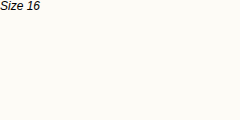
Call Qt.createQmlObject(qmlText, parent, url) to compile and instantiate a string of QML source at run time.

Main.qml
QML
Copy
import Ljos.Ui
import Ljos.Core
import Ljos.Layout

Item {
    id: root
    width: 240
    height: 120
    property int baseSize: 16

    Component {
        id: labelComp
        Text {
            color: palette.windowText
            text: "Dynamic"
            font.italic: true
        }
    }

    Column {
        id: column
        anchors.fill: parent
    }

    Component.onCompleted: {
        const item = labelComp.createObject(column, {
            "font.pixelSize": 20,
            text: bind(() => "Size " + root.baseSize)
        })
    }
}
Edit
Source
What this example draws
Initial property maps passed to createObject and incubateObject accept top-level properties, dotted value-type members ("font.pixelSize": 31), grouped properties ("border.width": 4), and attached properties ("Layout.fillWidth": true, "Accessible.name": "Open panel"). Passing bind(...) for a top-level property installs a live binding in setSource, createObject, and incubateObject. For a dotted value-type member such as "font.pixelSize", createObject evaluates the bind once at creation, whereas incubateObject keeps the member bound to the expression.
To remove a dynamically created object, call object.destroy() (or object.destroy(delayMs)). Destruction runs Component.onDestruction handlers on child objects before their parent.
See also
Components and Dynamic Objects
Define reusable components in files or inline, enforce required properties, load items with Loader, and create or destroy objects from JavaScript.
After reading this page, you will be able to define file components and inline components, mark properties as required, load and swap components with Loader, and create or destroy objects dynamically from JavaScript.
File components and .ui.qml forms
Every .qml file whose name starts with an upper-case letter defines a QML component type named after the file. Other QML files in the same directory—or in a directory that imports it—can instantiate that type by name. When an instance of a file component logs a warning about itself, the message names the file's component type (QML MyCol: ...).
Form files ending in .ui.qml, as visual design tools write them, such as PanelForm.ui.qml, define a component named by the part before .ui.qml (PanelForm). A companion Panel.qml file can use PanelForm as its root element and attach bindings and signal handlers to the objects exposed through aliases on the form:
PanelForm.ui.qml
QML
Copy
// PanelForm.ui.qml
import Ljos.Ui

Item {
    property alias actionButton: button
    property int level: 1

    Rectangle {
        id: button
        width: 80
        height: 32
        fill: palette.accent
    }
}
QML
Copy
What this example draws
Edit
Source
// PanelForm.ui.qml
import Ljos.Ui

Item {
    property alias actionButton: button
    property int level: 1

    Rectangle {
        id: button
        width: 80
        height: 32
        fill: palette.accent
    }
}
Inline components
You can declare reusable components inside a .qml file using the component <Name>: <BaseType> { ... } syntax. Inline components can extend built-in types or file components, declare their own properties and default aliases, and be instantiated anywhere in the file or tested with instanceof:
Main.qml
QML
Copy
What this example draws
Edit
Source
import Ljos.Ui
import Ljos.Layout

Item {
    id: root
    width: 200
    height: 100

    component Tile: Rectangle {
        width: 40
        height: 40
        fill: palette.accent
    }

    Row {
        spacing: 8
        Tile {}
        Tile { fill: palette.link }
    }
}
Show all 20 lines
Required properties
A component can mark any property as required:
Main.qml
QML
Copy
What this example draws
Edit
Source
pragma Scripts: JavaScript
import Ljos.Ui

Rectangle {
    fill: palette.window
    required property string title
    required property int count

    width: 120
    height: 40

    Text {
        color: palette.windowText
        anchors.centerIn: parent
        text: parent.title + " (" + parent.count + ")"
    }
}
Show all 17 lines
When a component has required properties, every caller that instantiates it must supply them. In a ListView or Repeater delegate, required properties receive the corresponding model roles (index, modelData, or named roles from a ListModel). When creating an object dynamically with Component.createObject(parent, props), omitting a required property causes createObject to return null, puts the Component into Component.Error status until a subsequent createObject call succeeds, and reports the missing property in errorString() and the log.
Component and Loader
An inline Component { ... } block wraps a QML object tree as a factory without instantiating it immediately. A Loader instantiates a single item from either a component or a source URL, and destroys the item when active becomes false or component is reset to undefined:
Main.qml
QML
Copy
What this example draws
Edit
Source
import Ljos.Ui
import Ljos.Core

Item {
    id: root
    width: 200
    height: 100
    property string events: ""

    Component {
        id: badge
        Rectangle {
            width: 60
            height: 24
            fill: palette.accent
            Component.onCompleted: root.events += "made "
            Component.onDestruction: root.events += "gone "
        }
    }

    Loader {
        id: loader
        component: badge
        onLoaded: root.events += "loaded "
    }

    function unload() {
        loader.active = false
    }
}
Show all 30 lines
Key behaviours of Loader and Component:
Every local file component or inline Component is loaded whole, so its progress is 1.
Setting asynchronous: true on a Loader defers creating its item until after the enclosing file has finished completing; while waiting, loader.status is Loader.Loading (2) and loader.item is null, before transitioning to Loader.Ready (1) and emitting loaded.
When a Loader switches from one component to another, it destroys the old item first and creates the new one, emitting onItemChanged once from the old item to the new item without reporting an empty intermediate item (although reading loader.item from inside the new item's Component.onCompleted sees null).
When loader.active is set to false, the loaded item is destroyed and onItemChanged and onStatusChanged fire before onActiveChanged.
loader.setSource(url, properties) loads a component from url with initial property values, which may include bind(() => ...) expressions (bind is Ljos.Core's; Qt writes Qt.binding).
Creating and destroying objects from JavaScript
You can create objects imperatively in three ways:
1.
Call createObject(parent, properties) on an inline Component or on a component returned by Qt.createComponent(url).
2.
Call incubateObject(parent, properties, Qt.Synchronous) on a Component, which returns an incubator whose .object holds the created instance.
3.
Call Qt.createQmlObject(qmlText, parent, url) to compile and instantiate a string of QML source at run time.
Main.qml
QML
Copy
What this example draws
Edit
Source
import Ljos.Ui
import Ljos.Core
import Ljos.Layout

Item {
    id: root
    width: 240
    height: 120
    property int baseSize: 16

    Component {
        id: labelComp
        Text {
            color: palette.windowText
            text: "Dynamic"
            font.italic: true
        }
    }

    Column {
        id: column
        anchors.fill: parent
    }

    Component.onCompleted: {
        const item = labelComp.createObject(column, {
            "font.pixelSize": 20,
            text: bind(() => "Size " + root.baseSize)
        })
    }
}
Show all 31 lines
Initial property maps passed to createObject and incubateObject accept top-level properties, dotted value-type members ("font.pixelSize": 31), grouped properties ("border.width": 4), and attached properties ("Layout.fillWidth": true, "Accessible.name": "Open panel"). Passing bind(...) for a top-level property installs a live binding in setSource, createObject, and incubateObject. For a dotted value-type member such as "font.pixelSize", createObject evaluates the bind once at creation, whereas incubateObject keeps the member bound to the expression.
To remove a dynamically created object, call object.destroy() (or object.destroy(delayMs)). Destruction runs Component.onDestruction handlers on child objects before their parent.
See also