Elegant
Live demos
Each demo is a complete Ljós app that passes ljos check, compiled ahead of time and mounted in this page. Once a framed demo runs, switch between light and dark themes in the header to watch it follow, and edit the live source in the Pantry and on the cockpit and smartwatch pages. A demo keeps its picture and description where the browser lacks the WebAssembly or WebGL 2 it needs.
A shell you rewrite
Add items to the basket, then edit Shell.qml right in the page. Move a Slot to rearrange the interface while the basket keeps its items, or introduce a syntax error: the last shell that compiled keeps running, with the compiler message shown beside the editor. Switch light and dark themes to watch both shells follow.
The Corner Pantry
0 in the basket · £0.00
Tea · £3.50
0 in basket
Bread · £2.25
0 in basket
Jam · £4.00
0 in basket
Basket
0 in the basket · £0.00
Note for the baker
Note for the baker…
Add an item, then edit the code. Your basket stays.
Shell.qml: edit it live
Reset
Observer
import Ljos.Ui
import Ljos.Core
import Ljos.Layout
import Pantry

// The shop's layout, yours to edit. Its basket, note and status
// keep what they hold while you change everything around them.
Rectangle {
    id: shell
    objectName: "appShell"
    width: 480
    height: 400
    fill: App.hints.colorScheme === ColorScheme.Dark ? "#171a23" : "#f6f4ee"

    // Colours for a dark background or a light one, whatever you set.
    Object {
        id: look
        readonly property bool dark: shell.fill.hslLightness < 0.5
        readonly property color ink1: dark ? "#f0ead8" : "#1b1f2a"
        readonly property color ink2: dark ? "#e8eaf0" : "#1b1f2a"
        readonly property color muted1: dark ? "#9aa3b2" : "#4d5566"
        readonly property color muted2: dark ? "#7c869e" : "#4d5566"
        readonly property color raised: dark ? "#232839" : "#ffffff"
    }

    // Anchored from the left: a right-to-left page mirrors it.
    Column {
        anchors.left: parent.left
        anchors.leftMargin: 18
        y: 14
        spacing: 12

        Text {
            objectName: "pantryTitle"
            color: look.ink1
            font.size: 26
            text: "The Corner Pantry"
        }
        // The basket's summary. Try moving it below Basket.
        StatusSlot {
            objectName: "statusSlot"
        }

        Row {
            height: 58
            spacing: 10
            Rectangle {
                objectName: "teaButton"
                width: 140
                height: 58
                radius: 8
                fill: look.raised
                Text {
                    anchors.left: parent.left
                    anchors.leftMargin: 10
                    y: 8
                    color: look.ink2
                    font.size: 18
                    text: t`Tea · £${basket.teaPrice.toFixed(2)}`
                }
                Text {
                    objectName: "teaCount"
                    anchors.left: parent.left
                    anchors.leftMargin: 10
                    y: 32
                    color: look.muted1
                    font.size: 16
                    text: t`${basket.teaCount} in basket`
                }
                // The button is the area over the words, not their box, so
                // what it is called need not hold what they say.
                PointerArea {
                    anchors.fill: parent
                    Accessible.name: t`Add tea`
                    Accessible.role: Accessible.Button
                    cursorShape: Cursor.PointingHand
                    onClicked: basket.addTea()
                }
            }
            Rectangle {
                objectName: "breadButton"
                width: 140
                height: 58
                radius: 8
                fill: look.raised
                Text {
                    anchors.left: parent.left
                    anchors.leftMargin: 10
                    y: 8
                    color: look.ink2
                    font.size: 18
                    text: t`Bread · £${basket.breadPrice.toFixed(2)}`
                }
                Text {
                    objectName: "breadCount"
                    anchors.left: parent.left
                    anchors.leftMargin: 10
                    y: 32
                    color: look.muted1
                    font.size: 16
                    text: t`${basket.breadCount} in basket`
                }
                // The button is the area over the words, not their box, so
                // what it is called need not hold what they say.
                PointerArea {
                    anchors.fill: parent
                    Accessible.name: t`Add bread`
                    Accessible.role: Accessible.Button
                    cursorShape: Cursor.PointingHand
                    onClicked: basket.addBread()
                }
            }
            Rectangle {
                objectName: "jamButton"
                width: 140
                height: 58
                radius: 8
                fill: look.raised
                Text {
                    anchors.left: parent.left
                    anchors.leftMargin: 10
                    y: 8
                    color: look.ink2
                    font.size: 18
                    text: t`Jam · £${basket.jamPrice.toFixed(2)}`
                }
                Text {
                    objectName: "jamCount"
                    anchors.left: parent.left
                    anchors.leftMargin: 10
                    y: 32
                    color: look.muted1
                    font.size: 16
                    text: t`${basket.jamCount} in basket`
                }
                // The button is the area over the words, not their box, so
                // what it is called need not hold what they say.
                PointerArea {
                    anchors.fill: parent
                    Accessible.name: t`Add jam`
                    Accessible.role: Accessible.Button
                    cursorShape: Cursor.PointingHand
                    onClicked: basket.addJam()
                }
            }
        }

        Basket {
            id: basket
            objectName: "basket"
            width: 444
        }
        // By its id, as the basket is, a shell that moves the note
        // elsewhere keeps what was typed in it.
        Note {
            id: note
            objectName: "note"
            width: 444
        }
        Text {
            color: look.muted2
            font.size: 16
            text: t`Add an item, then edit the code. Your basket stays.`
        }
    }
}
Try moving StatusSlot below Basket, setting fill: "#241a10", or renaming the shop. Your basket and note stay as they are.
A car's cockpit
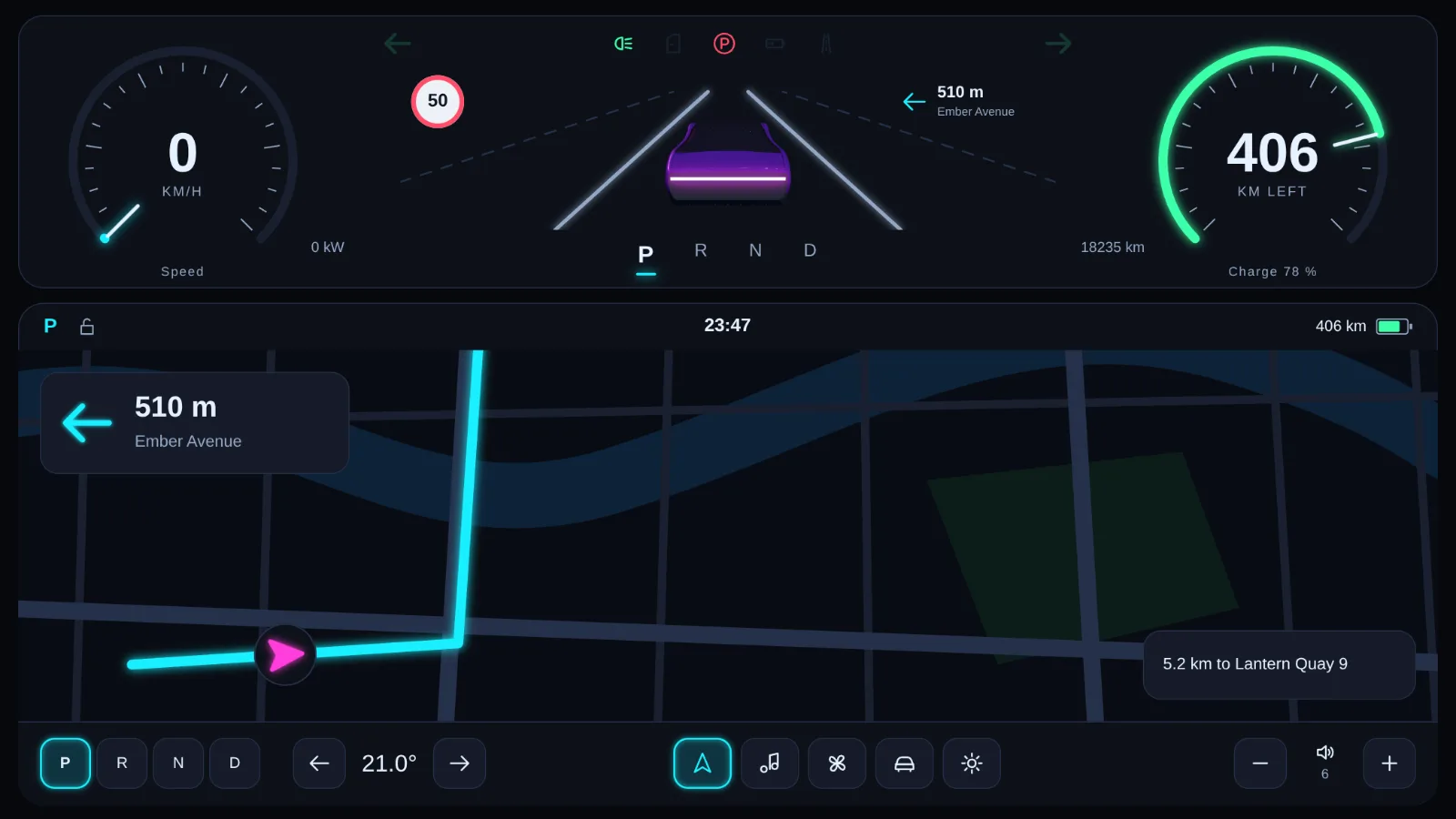
Svala GT, a made-up car: an instrument cluster over a touchscreen with a 3D car whose doors open, climate, media and a map. Opens on its own page, where you can edit every file.
A smartwatch
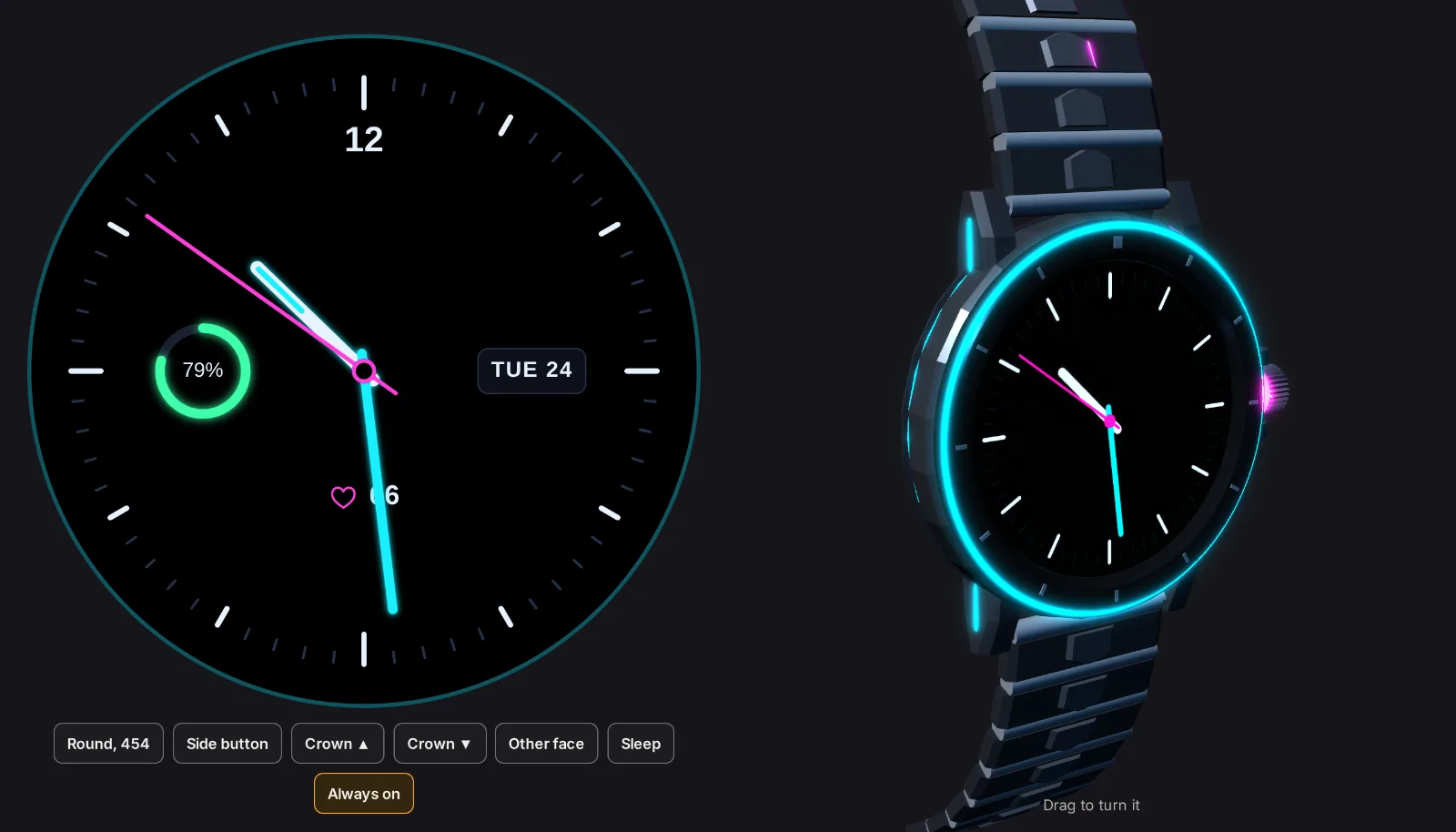
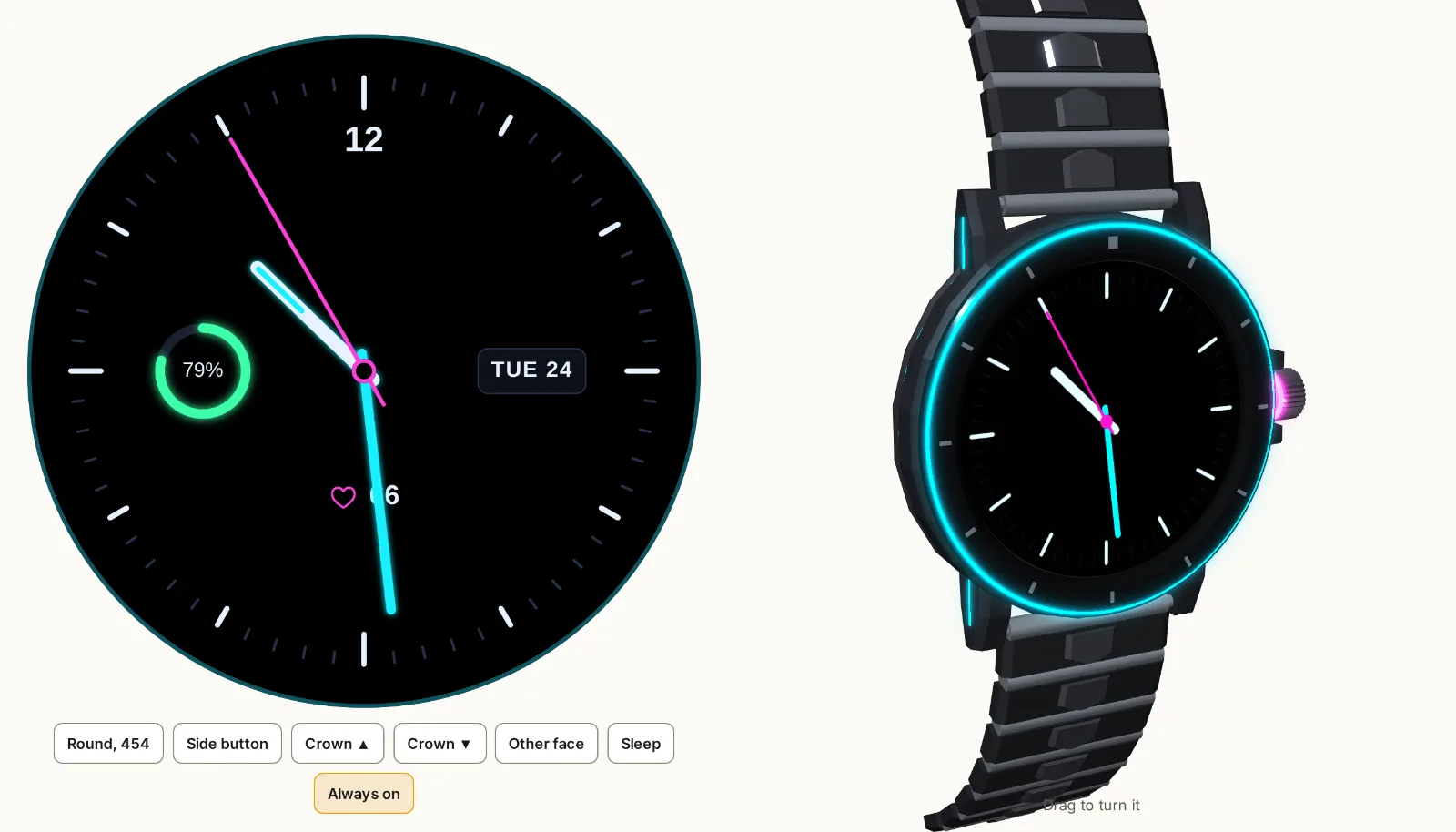
Kestrel, a made-up smartwatch: two faces, round and rounded-square screens, a scroll-wheel crown, an always-on face and the watch in 3D. Opens on its own page, with light and dark themes and every file open to edit.
3D you can orbit
A lit 3D scene rendered by the same engine that runs natively on desktop and mobile. Once it runs, drag to orbit, scroll or pinch to zoom, and switch light and dark themes to watch the scene adapt.
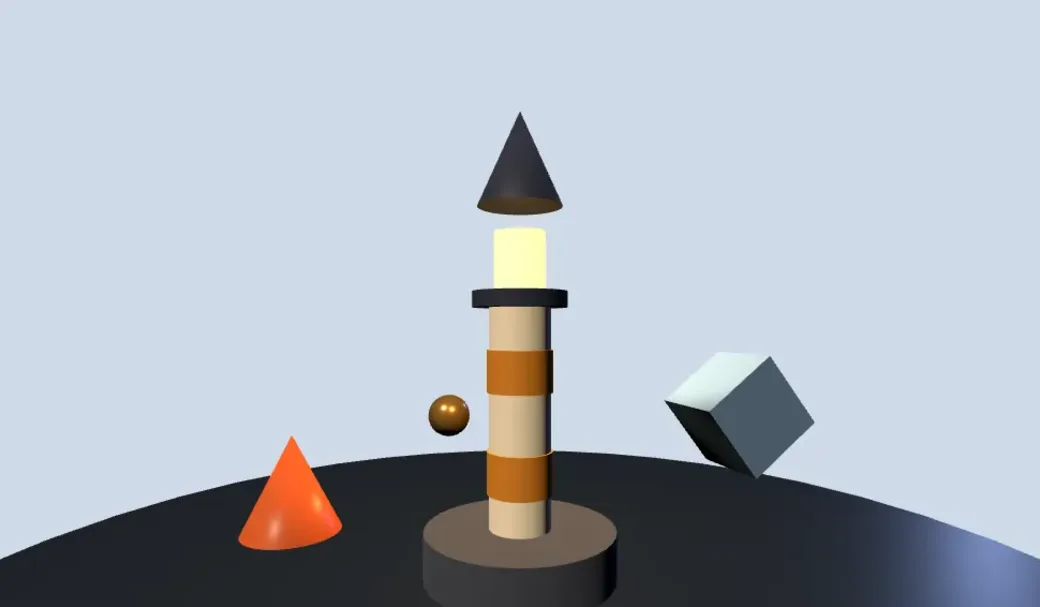
A lit 3D scene of shapes on a floor. Drag to turn it.
A shader effect
Once it runs, move the pointer across the card to stir the light and tap to cycle colours. The shader runs over live app content rather than a pre-rendered texture, and follows the page's light and dark themes.
Light pooling over a card of text, following the pointer.
A whole app
A bird field guide. Once it runs, filter the list by typing in Search, pick a species to read its notes, mark birds as seen to update the counter, and switch light and dark themes while keeping your selection.
A field guide to birds: a list of species beside the one picked, with notes and a count of those seen.
Motion
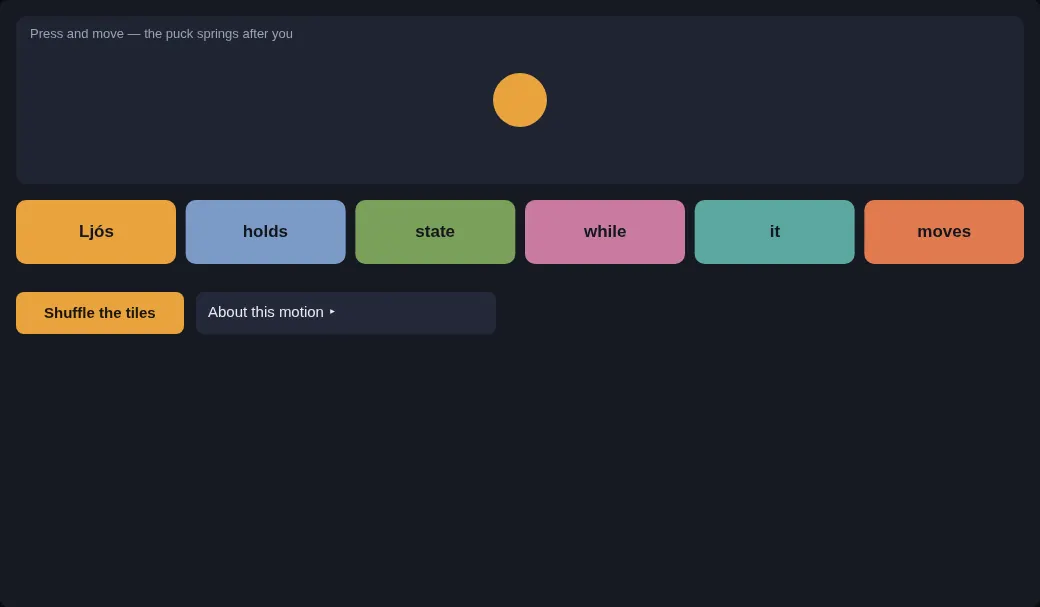
Once it runs, click Shuffle the tiles to watch them reorder on a single eased value, and press and drag in the spring tray so the puck springs after your pointer. When the motion settles, nothing ticks and an app at rest uses 0 % CPU.
Tiles that shuffle and settle, driven by one eased value.
Lottie animations
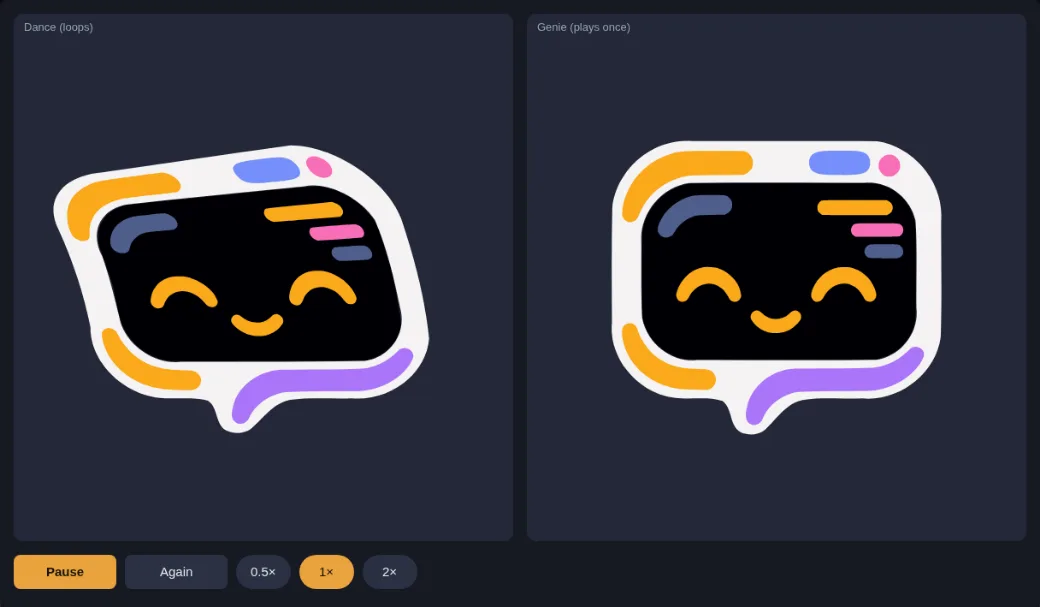
Running it loads the player and two Lottie files (HAL-C2's avatars), read and drawn by Ljós with no JavaScript Lottie library. Try Pause, Again, and the speed buttons to control the looping dance and one-shot genie. Both play at half speed when reduced motion is on, pause off screen, and use no CPU while idle.
Two side-by-side cards showing HAL-C2's dance and genie avatars above playback and speed controls.
Elegant
Live demos
Each demo is a complete Ljós app that passes ljos check, compiled ahead of time and mounted in this page. Once a framed demo runs, switch between light and dark themes in the header to watch it follow, and edit the live source in the Pantry and on the cockpit and smartwatch pages. A demo keeps its picture and description where the browser lacks the WebAssembly or WebGL 2 it needs.
A shell you rewrite
Add items to the basket, then edit Shell.qml right in the page. Move a Slot to rearrange the interface while the basket keeps its items, or introduce a syntax error: the last shell that compiled keeps running, with the compiler message shown beside the editor. Switch light and dark themes to watch both shells follow.
The Corner Pantry
0 in the basket · £0.00
Tea · £3.50
0 in basket
Bread · £2.25
0 in basket
Jam · £4.00
0 in basket
Basket
0 in the basket · £0.00
Note for the baker
Note for the baker…
Add an item, then edit the code. Your basket stays.
Shell.qml: edit it live
Reset
Observer
import Ljos.Ui
import Ljos.Core
import Ljos.Layout
import Pantry

// The shop's layout, yours to edit. Its basket, note and status
// keep what they hold while you change everything around them.
Rectangle {
    id: shell
    objectName: "appShell"
    width: 480
    height: 400
    fill: App.hints.colorScheme === ColorScheme.Dark ? "#171a23" : "#f6f4ee"

    // Colours for a dark background or a light one, whatever you set.
    Object {
        id: look
        readonly property bool dark: shell.fill.hslLightness < 0.5
        readonly property color ink1: dark ? "#f0ead8" : "#1b1f2a"
        readonly property color ink2: dark ? "#e8eaf0" : "#1b1f2a"
        readonly property color muted1: dark ? "#9aa3b2" : "#4d5566"
        readonly property color muted2: dark ? "#7c869e" : "#4d5566"
        readonly property color raised: dark ? "#232839" : "#ffffff"
    }

    // Anchored from the left: a right-to-left page mirrors it.
    Column {
        anchors.left: parent.left
        anchors.leftMargin: 18
        y: 14
        spacing: 12

        Text {
            objectName: "pantryTitle"
            color: look.ink1
            font.size: 26
            text: "The Corner Pantry"
        }
        // The basket's summary. Try moving it below Basket.
        StatusSlot {
            objectName: "statusSlot"
        }

        Row {
            height: 58
            spacing: 10
            Rectangle {
                objectName: "teaButton"
                width: 140
                height: 58
                radius: 8
                fill: look.raised
                Text {
                    anchors.left: parent.left
                    anchors.leftMargin: 10
                    y: 8
                    color: look.ink2
                    font.size: 18
                    text: t`Tea · £${basket.teaPrice.toFixed(2)}`
                }
                Text {
                    objectName: "teaCount"
                    anchors.left: parent.left
                    anchors.leftMargin: 10
                    y: 32
                    color: look.muted1
                    font.size: 16
                    text: t`${basket.teaCount} in basket`
                }
                // The button is the area over the words, not their box, so
                // what it is called need not hold what they say.
                PointerArea {
                    anchors.fill: parent
                    Accessible.name: t`Add tea`
                    Accessible.role: Accessible.Button
                    cursorShape: Cursor.PointingHand
                    onClicked: basket.addTea()
                }
            }
            Rectangle {
                objectName: "breadButton"
                width: 140
                height: 58
                radius: 8
                fill: look.raised
                Text {
                    anchors.left: parent.left
                    anchors.leftMargin: 10
                    y: 8
                    color: look.ink2
                    font.size: 18
                    text: t`Bread · £${basket.breadPrice.toFixed(2)}`
                }
                Text {
                    objectName: "breadCount"
                    anchors.left: parent.left
                    anchors.leftMargin: 10
                    y: 32
                    color: look.muted1
                    font.size: 16
                    text: t`${basket.breadCount} in basket`
                }
                // The button is the area over the words, not their box, so
                // what it is called need not hold what they say.
                PointerArea {
                    anchors.fill: parent
                    Accessible.name: t`Add bread`
                    Accessible.role: Accessible.Button
                    cursorShape: Cursor.PointingHand
                    onClicked: basket.addBread()
                }
            }
            Rectangle {
                objectName: "jamButton"
                width: 140
                height: 58
                radius: 8
                fill: look.raised
                Text {
                    anchors.left: parent.left
                    anchors.leftMargin: 10
                    y: 8
                    color: look.ink2
                    font.size: 18
                    text: t`Jam · £${basket.jamPrice.toFixed(2)}`
                }
                Text {
                    objectName: "jamCount"
                    anchors.left: parent.left
                    anchors.leftMargin: 10
                    y: 32
                    color: look.muted1
                    font.size: 16
                    text: t`${basket.jamCount} in basket`
                }
                // The button is the area over the words, not their box, so
                // what it is called need not hold what they say.
                PointerArea {
                    anchors.fill: parent
                    Accessible.name: t`Add jam`
                    Accessible.role: Accessible.Button
                    cursorShape: Cursor.PointingHand
                    onClicked: basket.addJam()
                }
            }
        }

        Basket {
            id: basket
            objectName: "basket"
            width: 444
        }
        // By its id, as the basket is, a shell that moves the note
        // elsewhere keeps what was typed in it.
        Note {
            id: note
            objectName: "note"
            width: 444
        }
        Text {
            color: look.muted2
            font.size: 16
            text: t`Add an item, then edit the code. Your basket stays.`
        }
    }
}
Try moving StatusSlot below Basket, setting fill: "#241a10", or renaming the shop. Your basket and note stay as they are.
A car's cockpit
Svala GT, a made-up car: an instrument cluster over a touchscreen with a 3D car whose doors open, climate, media and a map. Opens on its own page, where you can edit every file.
A smartwatch
Kestrel, a made-up smartwatch: two faces, round and rounded-square screens, a scroll-wheel crown, an always-on face and the watch in 3D. Opens on its own page, with light and dark themes and every file open to edit.
3D you can orbit
A lit 3D scene rendered by the same engine that runs natively on desktop and mobile. Once it runs, drag to orbit, scroll or pinch to zoom, and switch light and dark themes to watch the scene adapt.
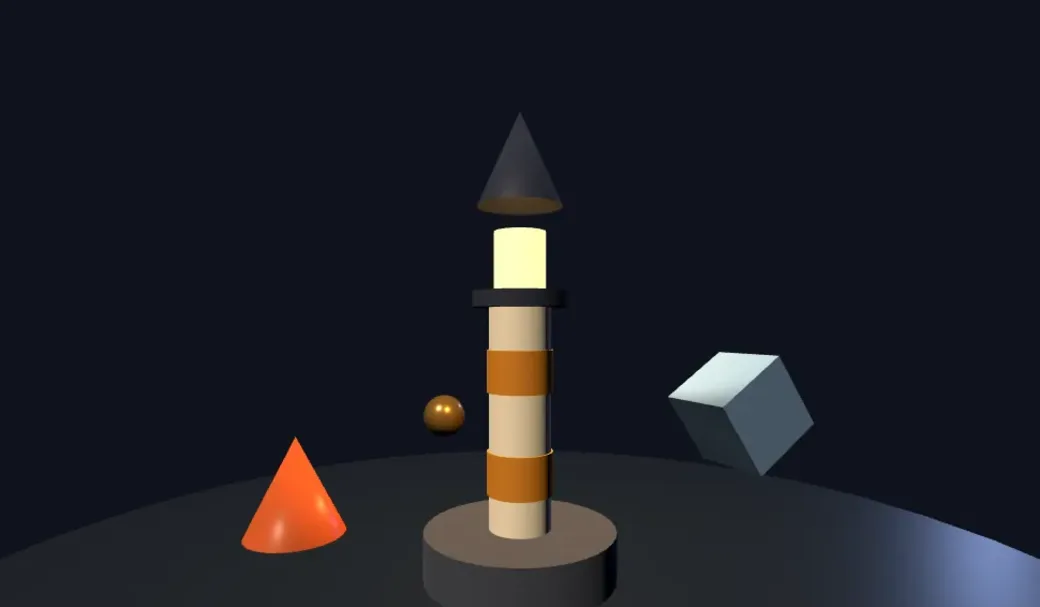
A lit 3D scene of shapes on a floor. Drag to turn it.
A shader effect
Once it runs, move the pointer across the card to stir the light and tap to cycle colours. The shader runs over live app content rather than a pre-rendered texture, and follows the page's light and dark themes.
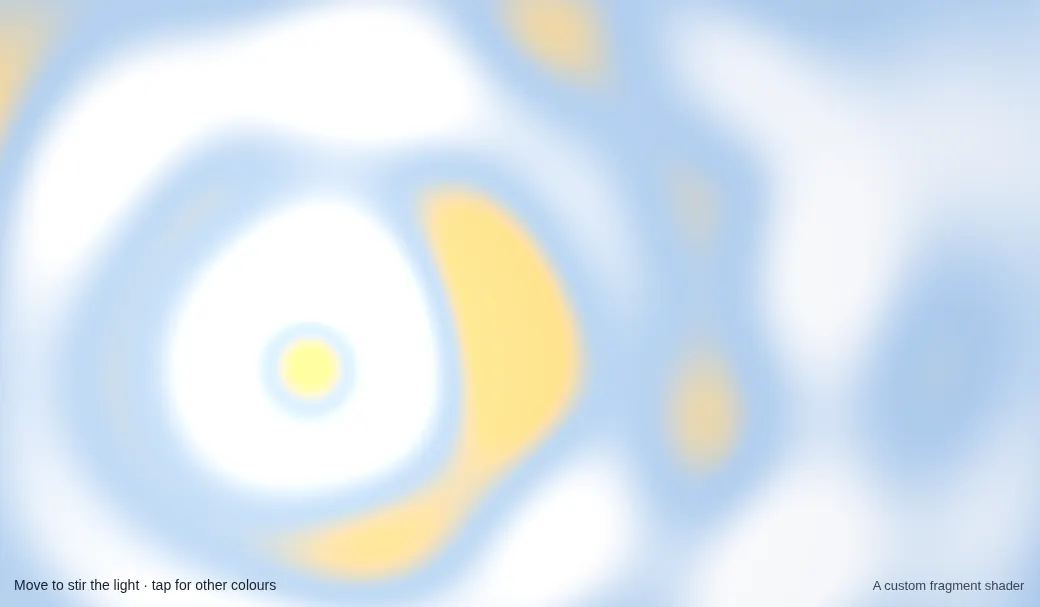
Light pooling over a card of text, following the pointer.
A whole app
A bird field guide. Once it runs, filter the list by typing in Search, pick a species to read its notes, mark birds as seen to update the counter, and switch light and dark themes while keeping your selection.
A field guide to birds: a list of species beside the one picked, with notes and a count of those seen.
Motion
Once it runs, click Shuffle the tiles to watch them reorder on a single eased value, and press and drag in the spring tray so the puck springs after your pointer. When the motion settles, nothing ticks and an app at rest uses 0 % CPU.
Tiles that shuffle and settle, driven by one eased value.
Lottie animations
Running it loads the player and two Lottie files (HAL-C2's avatars), read and drawn by Ljós with no JavaScript Lottie library. Try Pause, Again, and the speed buttons to control the looping dance and one-shot genie. Both play at half speed when reduced motion is on, pause off screen, and use no CPU while idle.
Two side-by-side cards showing HAL-C2's dance and genie avatars above playback and speed controls.
Live demos
Each demo is a complete Ljós app that passes ljos check, compiled ahead of time and mounted in this page. Once a framed demo runs, switch between light and dark themes in the header to watch it follow, and edit the live source in the Pantry and on the cockpit and smartwatch pages. A demo keeps its picture and description where the browser lacks the WebAssembly or WebGL 2 it needs.
A shell you rewrite
Add items to the basket, then edit Shell.qml right in the page. Move a Slot to rearrange the interface while the basket keeps its items, or introduce a syntax error: the last shell that compiled keeps running, with the compiler message shown beside the editor. Switch light and dark themes to watch both shells follow.
The Corner Pantry
0 in the basket · £0.00
Tea · £3.50
0 in basket
Bread · £2.25
0 in basket
Jam · £4.00
0 in basket
Basket
0 in the basket · £0.00
Note for the baker
Note for the baker…
Add an item, then edit the code. Your basket stays.
Shell.qml: edit it live
Reset
Observer
import Ljos.Ui
import Ljos.Core
import Ljos.Layout
import Pantry

// The shop's layout, yours to edit. Its basket, note and status
// keep what they hold while you change everything around them.
Rectangle {
    id: shell
    objectName: "appShell"
    width: 480
    height: 400
    fill: App.hints.colorScheme === ColorScheme.Dark ? "#171a23" : "#f6f4ee"

    // Colours for a dark background or a light one, whatever you set.
    Object {
        id: look
        readonly property bool dark: shell.fill.hslLightness < 0.5
        readonly property color ink1: dark ? "#f0ead8" : "#1b1f2a"
        readonly property color ink2: dark ? "#e8eaf0" : "#1b1f2a"
        readonly property color muted1: dark ? "#9aa3b2" : "#4d5566"
        readonly property color muted2: dark ? "#7c869e" : "#4d5566"
        readonly property color raised: dark ? "#232839" : "#ffffff"
    }

    // Anchored from the left: a right-to-left page mirrors it.
    Column {
        anchors.left: parent.left
        anchors.leftMargin: 18
        y: 14
        spacing: 12

        Text {
            objectName: "pantryTitle"
            color: look.ink1
            font.size: 26
            text: "The Corner Pantry"
        }
        // The basket's summary. Try moving it below Basket.
        StatusSlot {
            objectName: "statusSlot"
        }

        Row {
            height: 58
            spacing: 10
            Rectangle {
                objectName: "teaButton"
                width: 140
                height: 58
                radius: 8
                fill: look.raised
                Text {
                    anchors.left: parent.left
                    anchors.leftMargin: 10
                    y: 8
                    color: look.ink2
                    font.size: 18
                    text: t`Tea · £${basket.teaPrice.toFixed(2)}`
                }
                Text {
                    objectName: "teaCount"
                    anchors.left: parent.left
                    anchors.leftMargin: 10
                    y: 32
                    color: look.muted1
                    font.size: 16
                    text: t`${basket.teaCount} in basket`
                }
                // The button is the area over the words, not their box, so
                // what it is called need not hold what they say.
                PointerArea {
                    anchors.fill: parent
                    Accessible.name: t`Add tea`
                    Accessible.role: Accessible.Button
                    cursorShape: Cursor.PointingHand
                    onClicked: basket.addTea()
                }
            }
            Rectangle {
                objectName: "breadButton"
                width: 140
                height: 58
                radius: 8
                fill: look.raised
                Text {
                    anchors.left: parent.left
                    anchors.leftMargin: 10
                    y: 8
                    color: look.ink2
                    font.size: 18
                    text: t`Bread · £${basket.breadPrice.toFixed(2)}`
                }
                Text {
                    objectName: "breadCount"
                    anchors.left: parent.left
                    anchors.leftMargin: 10
                    y: 32
                    color: look.muted1
                    font.size: 16
                    text: t`${basket.breadCount} in basket`
                }
                // The button is the area over the words, not their box, so
                // what it is called need not hold what they say.
                PointerArea {
                    anchors.fill: parent
                    Accessible.name: t`Add bread`
                    Accessible.role: Accessible.Button
                    cursorShape: Cursor.PointingHand
                    onClicked: basket.addBread()
                }
            }
            Rectangle {
                objectName: "jamButton"
                width: 140
                height: 58
                radius: 8
                fill: look.raised
                Text {
                    anchors.left: parent.left
                    anchors.leftMargin: 10
                    y: 8
                    color: look.ink2
                    font.size: 18
                    text: t`Jam · £${basket.jamPrice.toFixed(2)}`
                }
                Text {
                    objectName: "jamCount"
                    anchors.left: parent.left
                    anchors.leftMargin: 10
                    y: 32
                    color: look.muted1
                    font.size: 16
                    text: t`${basket.jamCount} in basket`
                }
                // The button is the area over the words, not their box, so
                // what it is called need not hold what they say.
                PointerArea {
                    anchors.fill: parent
                    Accessible.name: t`Add jam`
                    Accessible.role: Accessible.Button
                    cursorShape: Cursor.PointingHand
                    onClicked: basket.addJam()
                }
            }
        }

        Basket {
            id: basket
            objectName: "basket"
            width: 444
        }
        // By its id, as the basket is, a shell that moves the note
        // elsewhere keeps what was typed in it.
        Note {
            id: note
            objectName: "note"
            width: 444
        }
        Text {
            color: look.muted2
            font.size: 16
            text: t`Add an item, then edit the code. Your basket stays.`
        }
    }
}
Try moving StatusSlot below Basket, setting fill: "#241a10", or renaming the shop. Your basket and note stay as they are.
A car's cockpit
Svala GT, a made-up car: an instrument cluster over a touchscreen with a 3D car whose doors open, climate, media and a map. Opens on its own page, where you can edit every file.
A smartwatch
Kestrel, a made-up smartwatch: two faces, round and rounded-square screens, a scroll-wheel crown, an always-on face and the watch in 3D. Opens on its own page, with light and dark themes and every file open to edit.
3D you can orbit
A lit 3D scene rendered by the same engine that runs natively on desktop and mobile. Once it runs, drag to orbit, scroll or pinch to zoom, and switch light and dark themes to watch the scene adapt.
A lit 3D scene of shapes on a floor. Drag to turn it.
A shader effect
Once it runs, move the pointer across the card to stir the light and tap to cycle colours. The shader runs over live app content rather than a pre-rendered texture, and follows the page's light and dark themes.
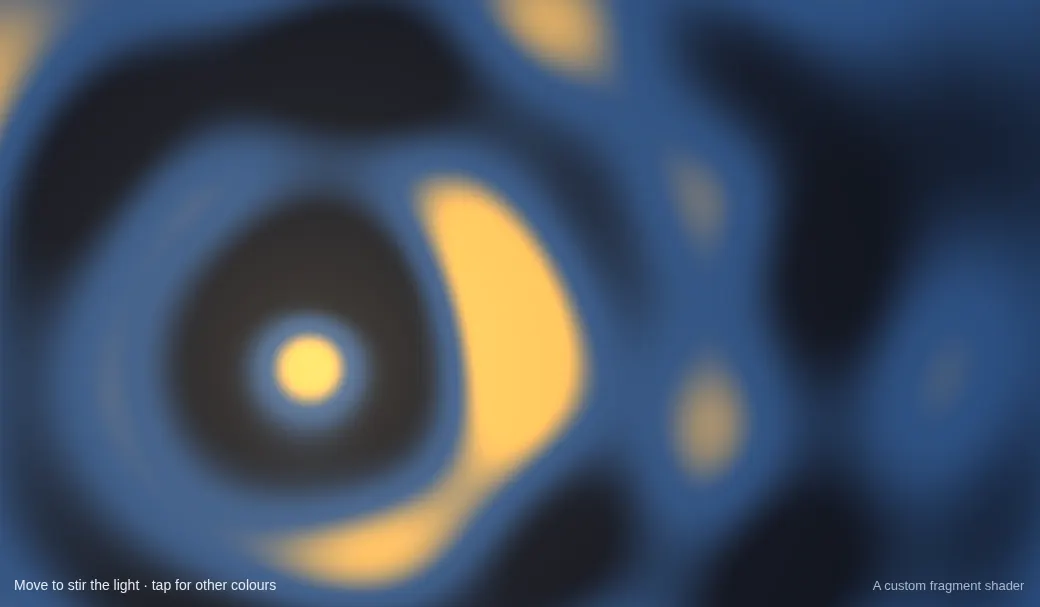
Light pooling over a card of text, following the pointer.
A whole app
A bird field guide. Once it runs, filter the list by typing in Search, pick a species to read its notes, mark birds as seen to update the counter, and switch light and dark themes while keeping your selection.
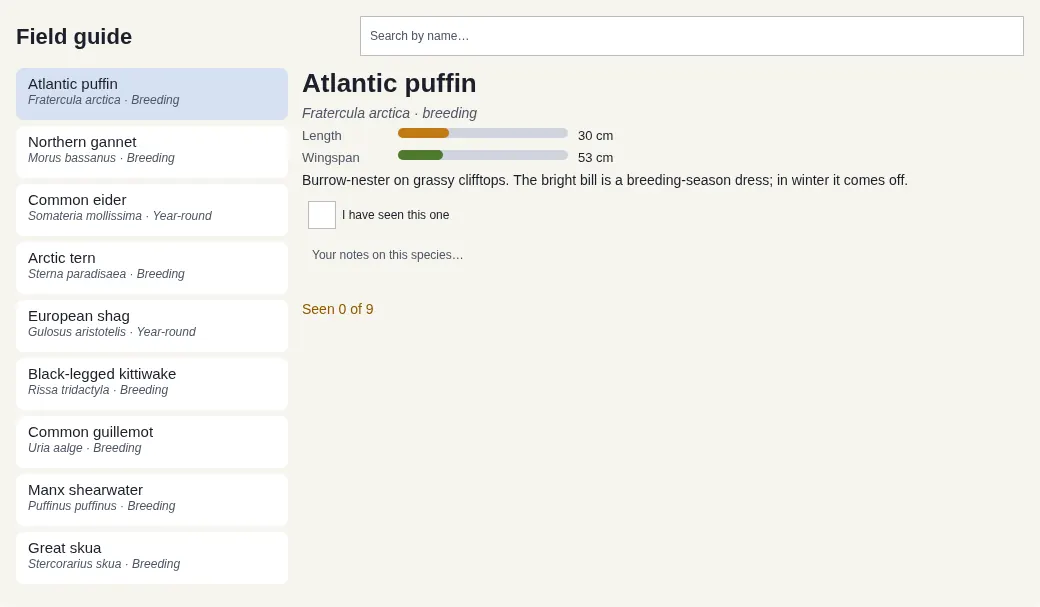
A field guide to birds: a list of species beside the one picked, with notes and a count of those seen.
Motion
Once it runs, click Shuffle the tiles to watch them reorder on a single eased value, and press and drag in the spring tray so the puck springs after your pointer. When the motion settles, nothing ticks and an app at rest uses 0 % CPU.
Tiles that shuffle and settle, driven by one eased value.
Lottie animations
Running it loads the player and two Lottie files (HAL-C2's avatars), read and drawn by Ljós with no JavaScript Lottie library. Try Pause, Again, and the speed buttons to control the looping dance and one-shot genie. Both play at half speed when reduced motion is on, pause off screen, and use no CPU while idle.
Two side-by-side cards showing HAL-C2's dance and genie avatars above playback and speed controls.
Live demos
Each demo is a complete Ljós app that passes ljos check, compiled ahead of time and mounted in this page. Once a framed demo runs, switch between light and dark themes in the header to watch it follow, and edit the live source in the Pantry and on the cockpit and smartwatch pages. A demo keeps its picture and description where the browser lacks the WebAssembly or WebGL 2 it needs.
A shell you rewrite
Add items to the basket, then edit Shell.qml right in the page. Move a Slot to rearrange the interface while the basket keeps its items, or introduce a syntax error: the last shell that compiled keeps running, with the compiler message shown beside the editor. Switch light and dark themes to watch both shells follow.
The Corner Pantry
0 in the basket · £0.00
Tea · £3.50
0 in basket
Bread · £2.25
0 in basket
Jam · £4.00
0 in basket
Basket
0 in the basket · £0.00
Note for the baker
Note for the baker…
Add an item, then edit the code. Your basket stays.
Shell.qml: edit it live
Reset
Observer
import Ljos.Ui
import Ljos.Core
import Ljos.Layout
import Pantry

// The shop's layout, yours to edit. Its basket, note and status
// keep what they hold while you change everything around them.
Rectangle {
    id: shell
    objectName: "appShell"
    width: 480
    height: 400
    fill: App.hints.colorScheme === ColorScheme.Dark ? "#171a23" : "#f6f4ee"

    // Colours for a dark background or a light one, whatever you set.
    Object {
        id: look
        readonly property bool dark: shell.fill.hslLightness < 0.5
        readonly property color ink1: dark ? "#f0ead8" : "#1b1f2a"
        readonly property color ink2: dark ? "#e8eaf0" : "#1b1f2a"
        readonly property color muted1: dark ? "#9aa3b2" : "#4d5566"
        readonly property color muted2: dark ? "#7c869e" : "#4d5566"
        readonly property color raised: dark ? "#232839" : "#ffffff"
    }

    // Anchored from the left: a right-to-left page mirrors it.
    Column {
        anchors.left: parent.left
        anchors.leftMargin: 18
        y: 14
        spacing: 12

        Text {
            objectName: "pantryTitle"
            color: look.ink1
            font.size: 26
            text: "The Corner Pantry"
        }
        // The basket's summary. Try moving it below Basket.
        StatusSlot {
            objectName: "statusSlot"
        }

        Row {
            height: 58
            spacing: 10
            Rectangle {
                objectName: "teaButton"
                width: 140
                height: 58
                radius: 8
                fill: look.raised
                Text {
                    anchors.left: parent.left
                    anchors.leftMargin: 10
                    y: 8
                    color: look.ink2
                    font.size: 18
                    text: t`Tea · £${basket.teaPrice.toFixed(2)}`
                }
                Text {
                    objectName: "teaCount"
                    anchors.left: parent.left
                    anchors.leftMargin: 10
                    y: 32
                    color: look.muted1
                    font.size: 16
                    text: t`${basket.teaCount} in basket`
                }
                // The button is the area over the words, not their box, so
                // what it is called need not hold what they say.
                PointerArea {
                    anchors.fill: parent
                    Accessible.name: t`Add tea`
                    Accessible.role: Accessible.Button
                    cursorShape: Cursor.PointingHand
                    onClicked: basket.addTea()
                }
            }
            Rectangle {
                objectName: "breadButton"
                width: 140
                height: 58
                radius: 8
                fill: look.raised
                Text {
                    anchors.left: parent.left
                    anchors.leftMargin: 10
                    y: 8
                    color: look.ink2
                    font.size: 18
                    text: t`Bread · £${basket.breadPrice.toFixed(2)}`
                }
                Text {
                    objectName: "breadCount"
                    anchors.left: parent.left
                    anchors.leftMargin: 10
                    y: 32
                    color: look.muted1
                    font.size: 16
                    text: t`${basket.breadCount} in basket`
                }
                // The button is the area over the words, not their box, so
                // what it is called need not hold what they say.
                PointerArea {
                    anchors.fill: parent
                    Accessible.name: t`Add bread`
                    Accessible.role: Accessible.Button
                    cursorShape: Cursor.PointingHand
                    onClicked: basket.addBread()
                }
            }
            Rectangle {
                objectName: "jamButton"
                width: 140
                height: 58
                radius: 8
                fill: look.raised
                Text {
                    anchors.left: parent.left
                    anchors.leftMargin: 10
                    y: 8
                    color: look.ink2
                    font.size: 18
                    text: t`Jam · £${basket.jamPrice.toFixed(2)}`
                }
                Text {
                    objectName: "jamCount"
                    anchors.left: parent.left
                    anchors.leftMargin: 10
                    y: 32
                    color: look.muted1
                    font.size: 16
                    text: t`${basket.jamCount} in basket`
                }
                // The button is the area over the words, not their box, so
                // what it is called need not hold what they say.
                PointerArea {
                    anchors.fill: parent
                    Accessible.name: t`Add jam`
                    Accessible.role: Accessible.Button
                    cursorShape: Cursor.PointingHand
                    onClicked: basket.addJam()
                }
            }
        }

        Basket {
            id: basket
            objectName: "basket"
            width: 444
        }
        // By its id, as the basket is, a shell that moves the note
        // elsewhere keeps what was typed in it.
        Note {
            id: note
            objectName: "note"
            width: 444
        }
        Text {
            color: look.muted2
            font.size: 16
            text: t`Add an item, then edit the code. Your basket stays.`
        }
    }
}
Try moving StatusSlot below Basket, setting fill: "#241a10", or renaming the shop. Your basket and note stay as they are.
A car's cockpit
Svala GT, a made-up car: an instrument cluster over a touchscreen with a 3D car whose doors open, climate, media and a map. Opens on its own page, where you can edit every file.
A smartwatch
Kestrel, a made-up smartwatch: two faces, round and rounded-square screens, a scroll-wheel crown, an always-on face and the watch in 3D. Opens on its own page, with light and dark themes and every file open to edit.
3D you can orbit
A lit 3D scene rendered by the same engine that runs natively on desktop and mobile. Once it runs, drag to orbit, scroll or pinch to zoom, and switch light and dark themes to watch the scene adapt.
A lit 3D scene of shapes on a floor. Drag to turn it.
A shader effect
Once it runs, move the pointer across the card to stir the light and tap to cycle colours. The shader runs over live app content rather than a pre-rendered texture, and follows the page's light and dark themes.
Light pooling over a card of text, following the pointer.
A whole app
A bird field guide. Once it runs, filter the list by typing in Search, pick a species to read its notes, mark birds as seen to update the counter, and switch light and dark themes while keeping your selection.
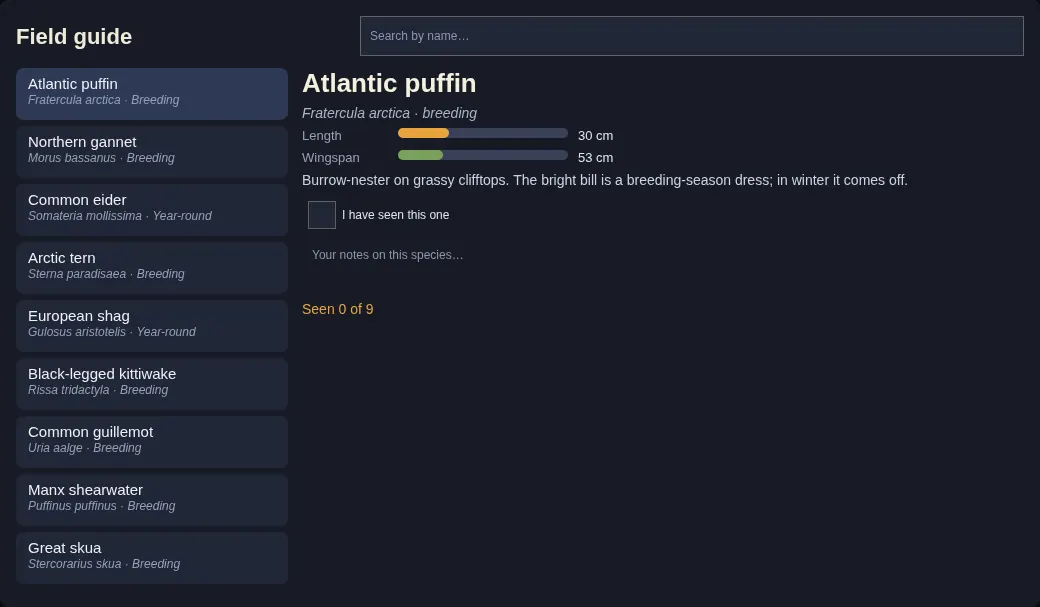
A field guide to birds: a list of species beside the one picked, with notes and a count of those seen.
Motion
Once it runs, click Shuffle the tiles to watch them reorder on a single eased value, and press and drag in the spring tray so the puck springs after your pointer. When the motion settles, nothing ticks and an app at rest uses 0 % CPU.
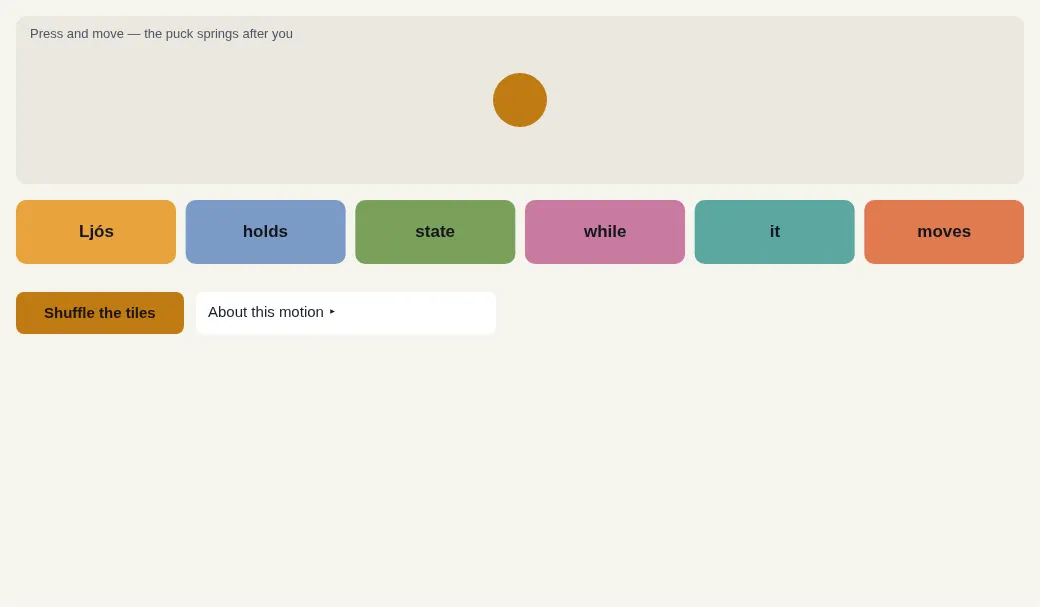
Tiles that shuffle and settle, driven by one eased value.
Lottie animations
Running it loads the player and two Lottie files (HAL-C2's avatars), read and drawn by Ljós with no JavaScript Lottie library. Try Pause, Again, and the speed buttons to control the looping dance and one-shot genie. Both play at half speed when reduced motion is on, pause off screen, and use no CPU while idle.
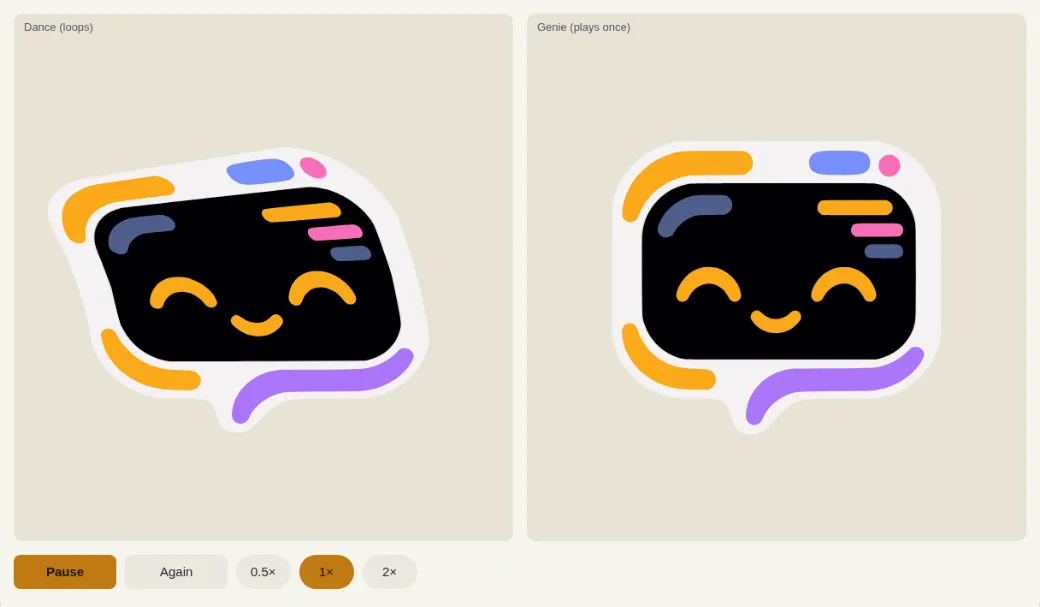
Two side-by-side cards showing HAL-C2's dance and genie avatars above playback and speed controls.